
SonicOS 8 Rules and Policies for Classic Mode
Table of Contents
Setting Firewall Access Rules
This section describes the SonicWall firewall default access rules and custom access rules. Access rules are security policies. Access rules control which traffic the firewall allows, denies, or discards between zones. Access rules also define user authentication and enable remote management of the firewall. This section provides configuration examples to customize your access rules to meet your business requirements.
In SonicOS 8.2.3 and later, access rules can match destination traffic by SaaS App. When you select SaaS App in the Destination section, the firewall identifies software as a service (SaaS) traffic on the first packet. The firewall looks up the destination IP address in the SaaS & AI Applications database, which SonicWall maintains. This enables policy enforcement for SaaS applications such as Microsoft 365, AWS, Google Cloud, and Azure without manual IP address management, deep packet inspection (DPI) classification, or Secure Sockets Layer (SSL) inspection. Matching is by destination IP address only and depends on the IP Reliability level of each application. For more information, see the SonicOS 8 Objects Administration Guide.
SaaS App matching has the following prerequisites:
-
Cloud Sync is enabled to download the SaaS & AI Applications database.
-
A SaaS & AI Application Group exists..
If the database is not available, the rule treats the SaaS & AI Application Group as an empty match.
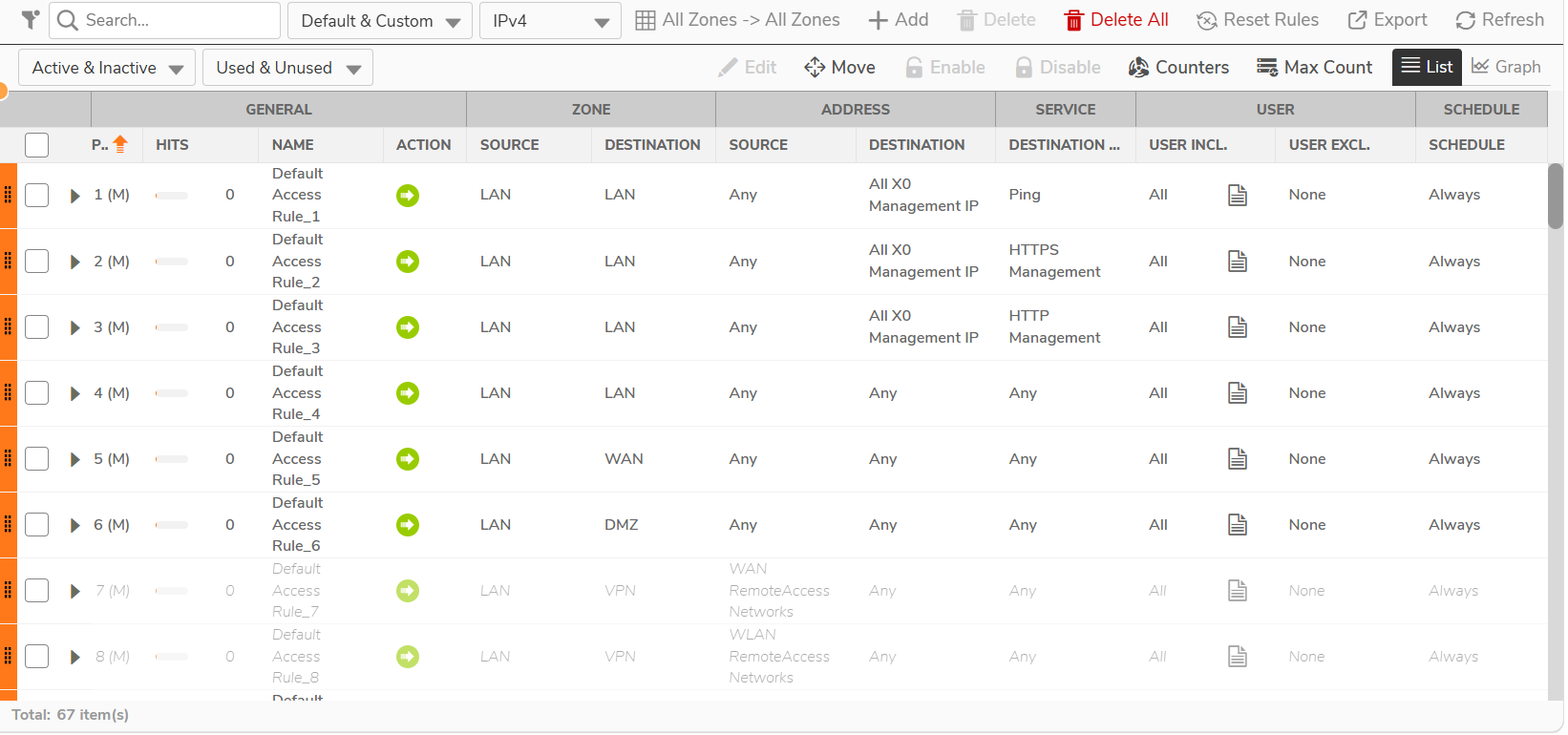
On the POLICY | Rules and Policies > Access Rules page, you can sort, add, edit, and delete access rules. The subsequent sections provide high-level overviews on configuring access rules by zones and configuring bandwidth management using access rules.
The firewall groups rules in separate tables by source zone, destination zone, and IP version (IPv4 or IPv6). The priority of a rule applies only within its own table.
- About Connection Limiting
- Using Bandwidth Management with Access Rules
- Creating Access Rules
- Configuring Access Rules for IPv6
- Enabling and Disabling Access Rules
- Editing Access Rules
- Deleting Access Rules
- Restoring Access Rules to Default Settings
- Displaying Access Rules
- Displaying Access Rule Traffic Statistics
- Configuring Access Rules for NAT64
- Configuring Access Rules for a Zone
- Access Rules for DNS Proxy
- User Priority for Access Rules