
SonicOS 8 Objects
Table of Contents
Common Actions with Objects Table
The following table describes the common actions you can perform on an object table.
| Icon | Name | Action |
|---|---|---|

|
Search | To filter the table with a specific string. |
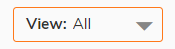
|
Drop-down | To filter the table with specific information. For example, Default, Custom, Used, Unused objects. |

|
Sort | To sort the table column information in ascending or descending order. |

|
Add | To add new objects. |

|
Clone | To create a new object quickly with existing object values. |

|
Edit | To make changes to the existing objects. |

|
Delete | To delete the custom objects. |

|
Export | To export information. |

|
Refresh | To reflect the latest information in the table. |

|
Columns or Column Selection |
To customize the table information. Click the Columns icon and select or clear the check boxes for the columns to show or hide. |

|
Advanced Filter |
To filter the table data by multiple column values. This filter is available for some of the objects only. For more information, refer to Advanced Filter. You can find this filter in:
|