
SonicOS 8 Users
Table of Contents
Configure MFA for an Existing Administrator
To configure MFA for an existing administrator
-
Log in to the SonicOS management interface.
-
Navigate to DEVICE | Users > Local Users & Groups.
-
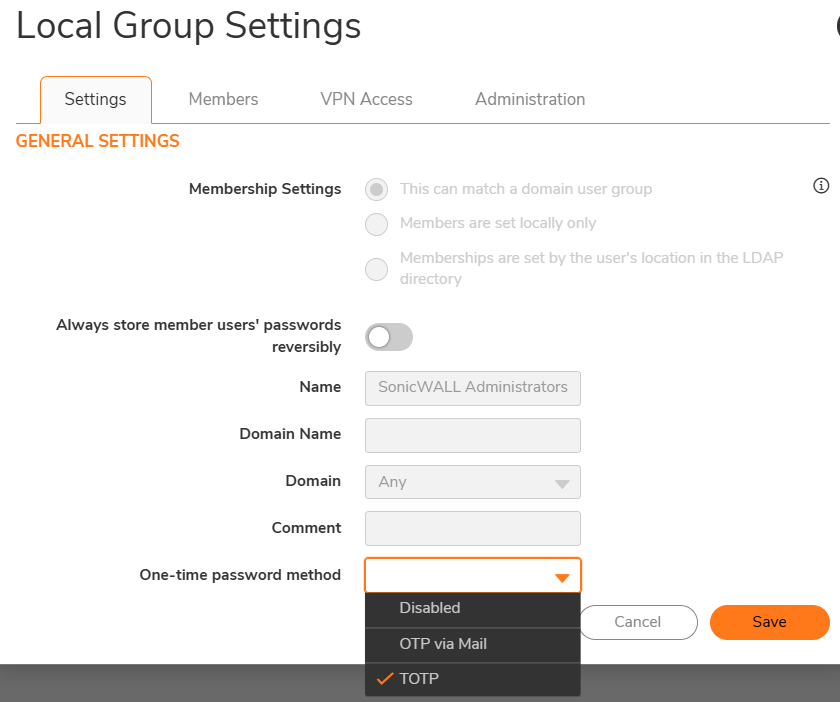
Select the administrator account and on the One-time password method field, select TOTP.
-
Click Save.
If the administrator account is used by NSM to manage a manually onboarded firewall, do not enable MFA for that account. Manual NSM onboarding using administrator credentials requires MFA to be disabled for the administrator account used by NSM. SonicWall recommends using Zero-Touch (ZT) onboarding for firewalls managed by NSM.