
SonicOS 8 Rules and Policies for Policy Mode
Table of Contents
Probe-Enabled Policy-based Routing Configuration
You can optionally configure a Network Monitor policy for the route. When you use a Network Monitor policy, the firewall dynamically disables or enables the static route based on the state of the probe for the policy. For the full static route procedure, see Adding Static Routes.
Policy-based Routing is fully supported for IPv6 by selecting IPv6 address objects and gateways for route policies on the POLICY | Rules and Policies > Routing Policy page. IPv6 address objects are listed in the Source, Destination, and Gateway columns of the Route Policies table. Configuring route policies for IPv6 is nearly identical to IPv4.
To configure a policy-based route
-
Navigate to the POLICY | Rules and Policies > Routing Policy page.
-
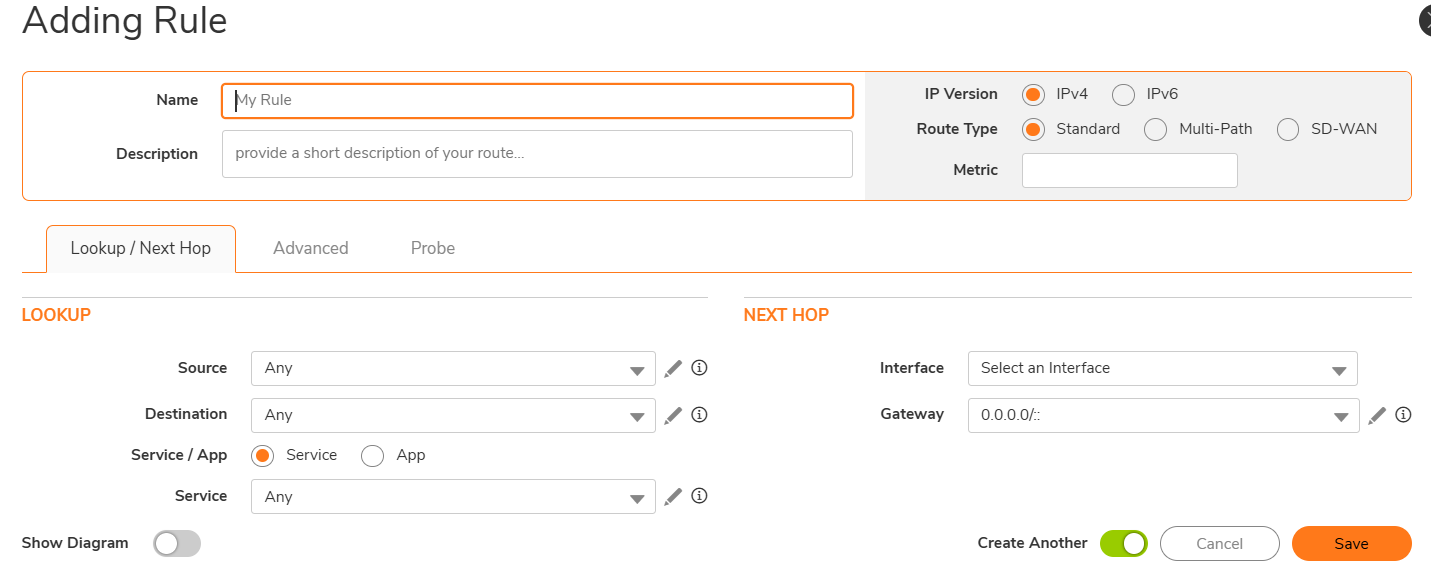
Click + Add. The Adding Rule dialog box appears.
-
Click the Probe tab. Select the Network Monitor object for the probe, or select Create a new Network Monitor Object... to create a new object.
Typically, you do not select Disable route when probe succeeds, because a route is normally disabled when its probe fails. This option gives you added flexibility for defining routes and probes.
-
Select Probe default state is UP so that the route treats the probe as successful when the Network Monitor policy is UNKNOWN. This option helps to control the probe-based behavior when a unit of a High Availability pair changes from IDLE to ACTIVE, because this change sets all Network Monitor policy states to UNKNOWN.
-
Click Add to apply the configuration.