
A Closer Look at the Ransomware Posing as Microsoft Edge

The SonicWall Capture Labs Threat Research Team came across a Windows ransomware sample this week going by the filename "Edgev5.exe". Where most ransomware families chain together phishing lures, exploit kits, or remote access trojans before getting to the encryption stage, this ransomware takes a straightforward approach: it opens with a fake Microsoft Edge browser confirmation prompt, keeping the victim's attention on a harmless-looking dialog while the encryption engine runs in parallel. Payment handling is just as stripped down, no C2 server, no callback infrastructure. The operator embedded a Bitcoin wallet address directly in the binary and wired it to Blockstream's public blockchain API so the malware can confirm payments on its own. Compiled as a native 64-bit Windows PE with GCC/MinGW, it encrypts files using AES-256-GCM through OpenSSL's EVP interface.
Infection Cycle
The first thing the binary does when it runs is print a prompt meant to resemble a Windows system dialog:
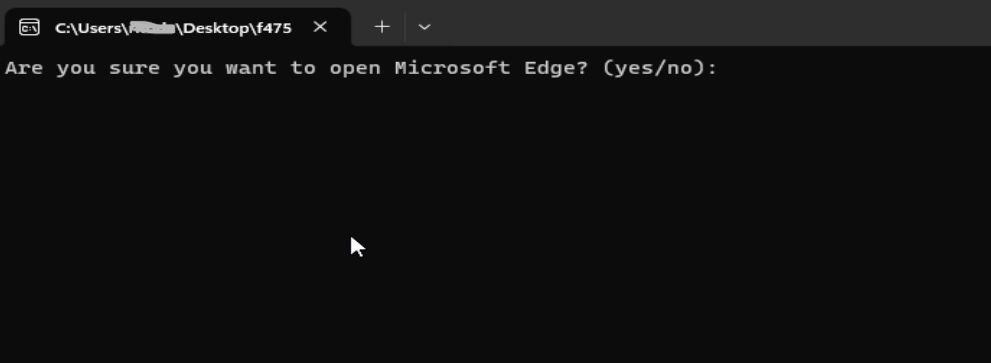
Whatever the user types, the ransomware is already running. By framing the interaction as a browser launch confirmation, the binary buys a few extra seconds of inattention; the kind of dialog a user might click through without a second thought. Microsoft Edge makes a particularly effective cover because it comes pre-installed on every modern Windows machine, so a launch prompt tied to it reads as routine rather than suspicious.
Before touching any files on disk, this malware calls OpenSSL's "RAND_bytes" to generate a 32-byte master key:
void generateMasterKey(uchar *param_1) {
    int iVar1 = RAND_bytes(param_1, 0x20);
    if (iVar1 != 0) return;
    // throws std::runtime_error("Failed to generate master key") on failure
}
Everything else in the key hierarchy traces back to this value. Any file encrypted during the run is ultimately locked behind material derived from these 32 bytes.
The malware then calls the Windows "SHGetKnownFolderPath" API through its "getKnownFolderPath" function to find standard user directories such as Documents, Desktop, Downloads, and similar locations. From there it walks each directory tree recursively, checking each file it finds before deciding whether to encrypt it.
Some files get skipped under two conditions:
- Files already carrying the ".enc" extension : double-encrypting a file it already processed would corrupt the key metadata needed to decrypt it later
- Files matching three internal names the ransomware itself writes to disk: ENCRYPTED_KEY_FILE, METADATA_FILE, and MASTER_KEY_FILE
Everything else goes into the encryption queue. And because the traversal is rooted in standard user folders, system directories like %Windir% and %ProgramFiles% are never reached.
Files are encrypted with AES-256-GCM via OpenSSL's EVP interface. The decompiled "encryptData" function at "0x140003a90" makes the algorithm unambiguous:
uVar2 = EVP_CIPHER_CTX_new();
uVar4 = EVP_aes_256_gcm();
EVP_EncryptInit_ex(uVar2, uVar4, 0, 0, 0);
EVP_CIPHER_CTX_ctrl(uVar2, 9, 0x10, 0);           // set IV length to 16 bytes
EVP_EncryptInit_ex(uVar2, 0, 0, param_3, param_4); // key + IV
EVP_EncryptUpdate(...);
EVP_EncryptFinal_ex(...);
EVP_CIPHER_CTX_ctrl(uVar2, 0x10, 0x10, lVar6);    // retrieve 16-byte auth tag
EVP_CIPHER_CTX_free(uVar2);
Directories with which files have been encrypted will have files with .enc file extension, along with the metadata file, the key file, and the master key file, since those are needed to reverse the process.
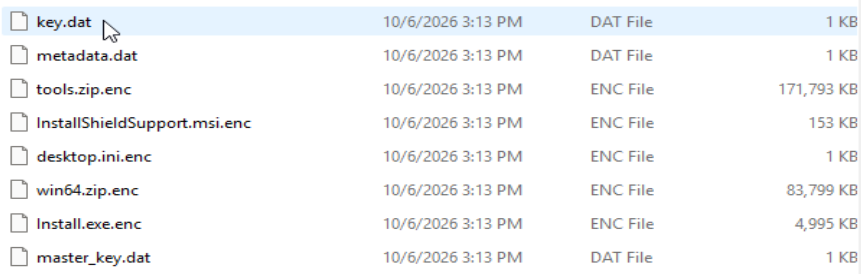
There is no dropped ransom note file. Instead, the payment instructions come up in the same console window the binary launched in. The ransom is fixed at 0.001 BTC, expressed internally as a satoshi value, payable to a single hardcoded bech32 Bitcoin address.
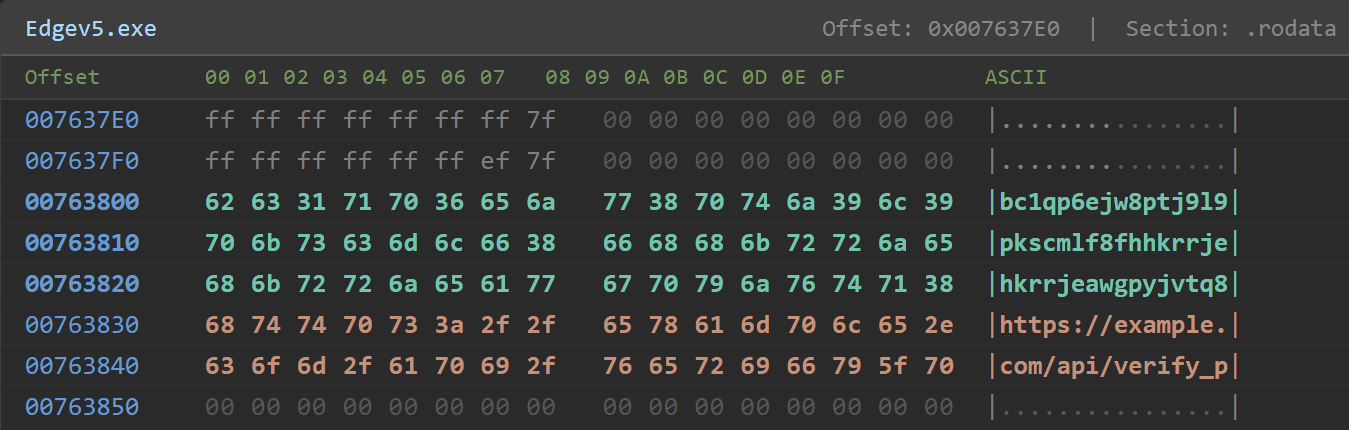
From there the binary polls "verifyPayment" in a loop, each iteration hitting the Blockstream public blockchain API:
- https://blockstream.info/api/address/<wallet>/txs
The JSON response is parsed with nlohmann::json. Once an incoming transaction matching the required amount shows as confirmed, the binary prints: "Payment verified! Starting decryption process..."
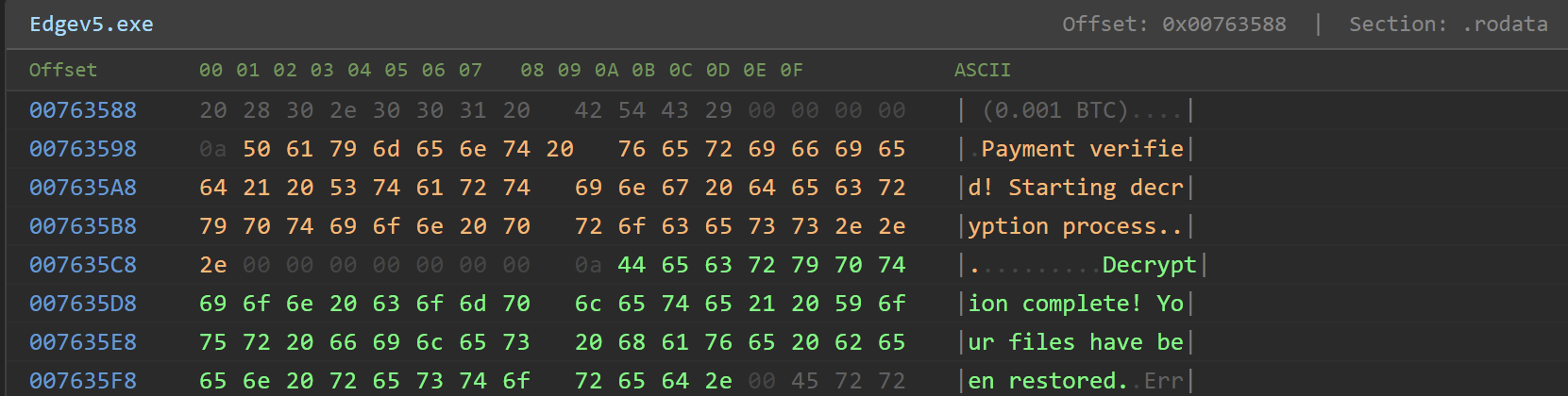
All payment API requests go out with the hardcoded user-agent string "payment-verifier/1.0". The practical consequence of this design is that the operator has no server to maintain for payment tracking. The Bitcoin blockchain handles it. Takedowns, domain seizures, and hosting suspensions have no impact on payment verification.
Once payment is confirmed, "decryptFile" ("0x140004890") runs through the key management chain in reverse:
- "loadMasterKey" reads the saved master key off disk
- "loadEncryptedKey" pulls the wrapped per-directory key
- "decryptKeyWithMasterKey" unwraps it via AES-256-GCM decryption
- "decryptData" decrypts each ".enc" file using the recovered key, IV, and stored auth tag
- "readMetadata" reads the JSON record to reconstruct original file paths and names
- Restored files have the ".enc" extension removed
"EVP_DecryptFinal_ex" checks the GCM authentication tag as part of decryption. Corrupted or tampered ciphertext fails cleanly at that step rather than producing garbage output.
No data theft code was found. Unlike most ransomware which backs its encryption with a data-leak threat, this ransomware is a straight encryptor. Decryption is fully self-contained within the binary: the process never exits after encryption since it enters the `verifyPayment` polling loop and waits. Once a confirmed payment is detected, it transitions directly into the decryption routine within the same running process, with no attacker involvemen t required.
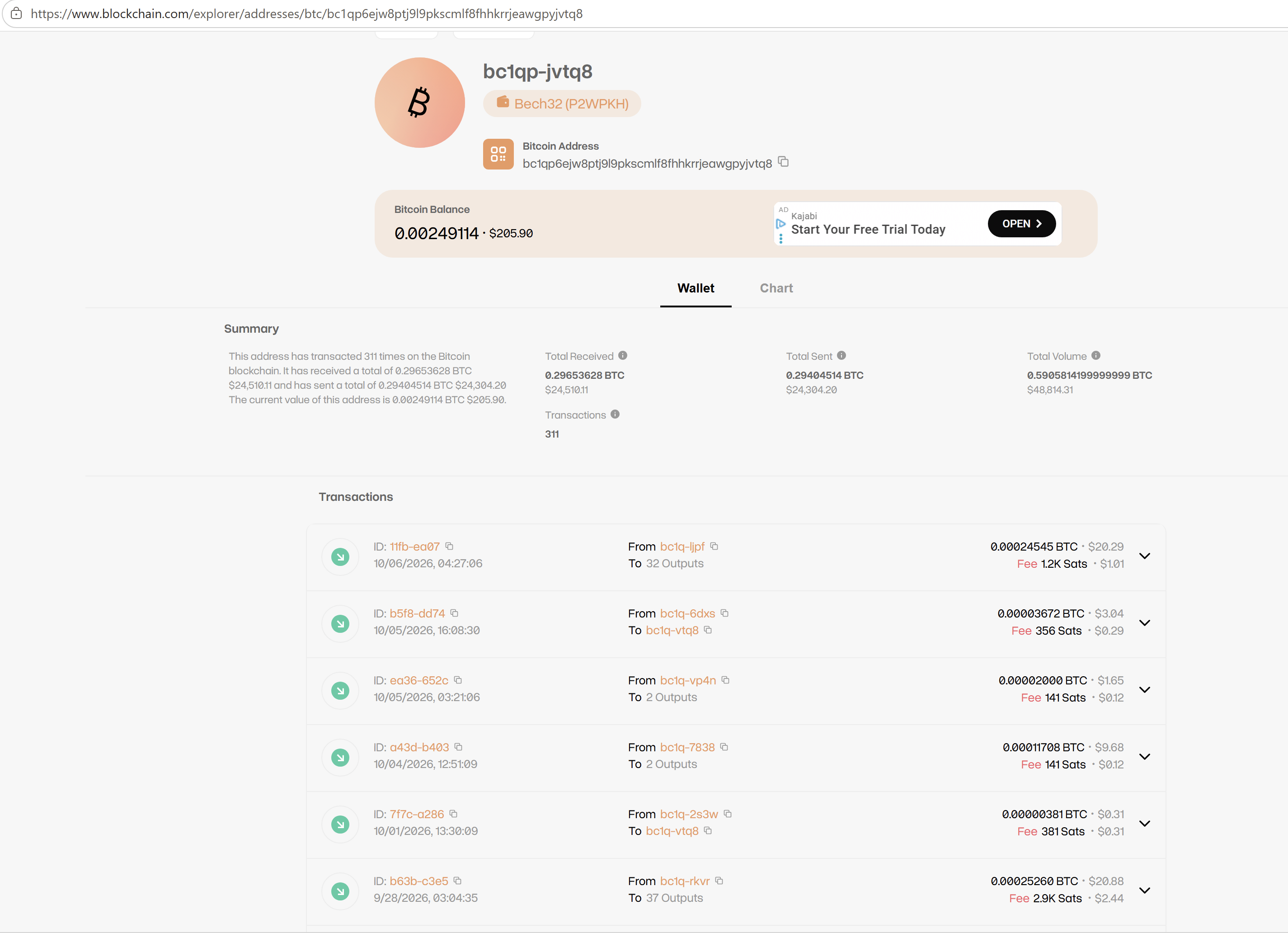
The Bitcoin wallet address hardcoded in the binary — bc1qp6ejw8ptj9l9pkscmlf8fhhkrrjeawgpyjvtq8 — shows 311 transactions on the blockchain at the time of this writing. This level of activity suggests the campaign has been actively targeting victims, and that at least some have followed through with payment. The address remains active and continues to receive transactions, indicating the operation is ongoing.
Sonicwall Protection
SonicWall Capture Labs protects against this threat via the following signature:
- GAV: Malagent.RSM_130 (Trojan)
This threat is also detected by SonicWall Capture ATP with RTDMI™, SonicWall Endpoint Security, and the Capture Client endpoint solution.
Share This Article

An Article By
An Article By
Security News
Security News
