
Tracking Havoc Malware Activity and Evasion Techniques

Overview
This week, the SonicWall Capture Labs Threat Research Team reviewed a sample of Havoc malware. This is a C2 framework that has many stealth capabilities, including EDR bypass by using sleep obfuscation, return address stack spoofing, and indirect syscalls. While it can be used for legitimate purposes, Havoc has been and continues to be used for a variety of malicious campaigns.
Technical Overview and Infection Cycle
There are two parts to the infection cycle. First is a VBS script that shows in plaintext with slight obfuscation, though this may change depending on settings used:
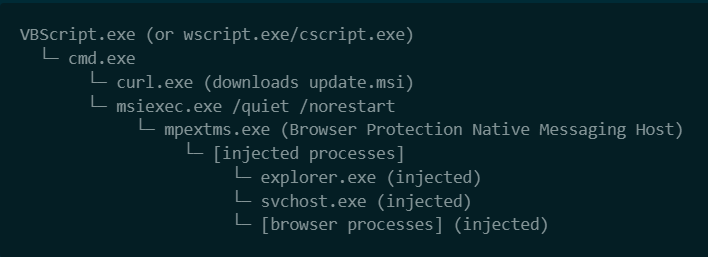

This has a script to download and create a new process using the malicious binary, which is an MSI bundle.
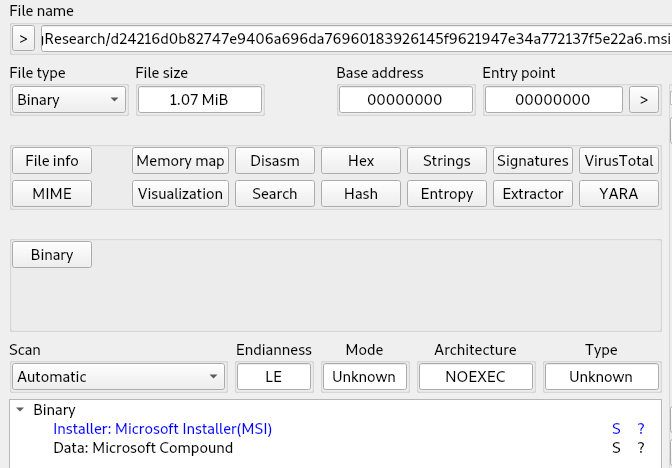
The downloaded file ‘update.msi’ is unzipped and shown to be two files in the installer: EndpointDLP.dll and MpExtMs.exe. The EndpointDLP and MpExtMs run from their dropped location at “C:\Users\user\AppData\Local\PlatformServices\”. These are meant to appear as legitimate Microsoft files, even though they were downloaded from a Google link. EndpointDLP flags immediately because it has a timestamp from 2070.
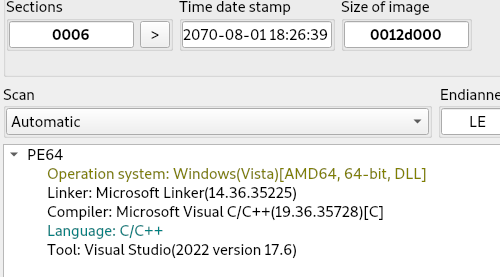
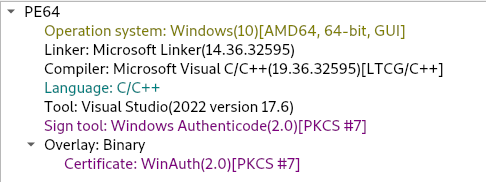
Once running, the process looks for the following virtual environments: qemu, vmware, vbox, and hyper-v. The process then creates a runtime key at ‘HKEY_CURRENT_USER\Environment UserInitMprLogonScript’ for persistence on system restart. A mutex is also created at key ‘\Sessions\1\BaseNamedObjects\Global\{7f3a9c2e-4b1d-8e5f-a6d0-3c9b2e1f7a4d}’.
Next, location data is gathered using GetLocaleInfoW and GetLocaleInfoEx.
The program will perform a check to find any additional drives attached, either through USB or network shares. System information is found using the following WMIC commands:
- SELECT Name FROM Win32_Process
- SELECT Manufacturer FROM Win32_ComputerSystem
- SELECT DeviceName FROM Win32_PnPSignedDriver
A DNS TXT query to ‘00000000.2b544fb026cdb578e44f63ea60043f23.t.phantom.local’ is made, as well as to Cloudflare DNS server 1.0.0.1.
There are additional URLs in memory that were not actively used during runtime:
- http://194.59.31.192:8443/stage/2b544fb026cdb578e44f63ea60043f23R&
- http://194.59.31.192:8443/stage/7c402e4f5f3f6c3b996e7a3b9fc15165
- http://194.59.31.192:8443/stage/e60d04ad98fbe681bc475eefefd9c736
- https://194.59.31.192:8443/api/v2/telemetry/diag3y
- https://194.59.31.192:8443/api/v2/telemetry/diag
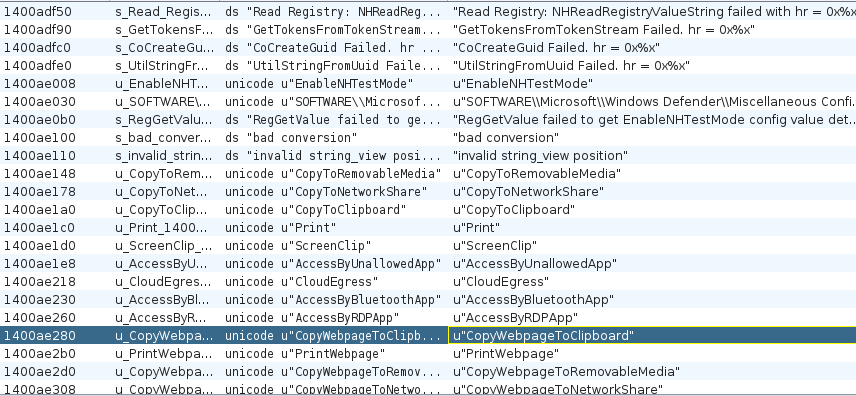
Anti-debugging methods used are: DebugPort, GetProcessHeap, GetProcedureAddress, and IsDebuggerPresent. These will cause the debugger to fail and/or crash if debug hooks are not hidden during testing. Havoc will gather data on all processes with ToolHelp32Snapshot and monitor multiple registry keys to ensure access and functionality:
- MsPvOrchRunning (Registry value monitored by MpExtMs)
- NHReadRegistryValueString (Native Host configuration)
- EnableNHTestMode (Test mode flag)
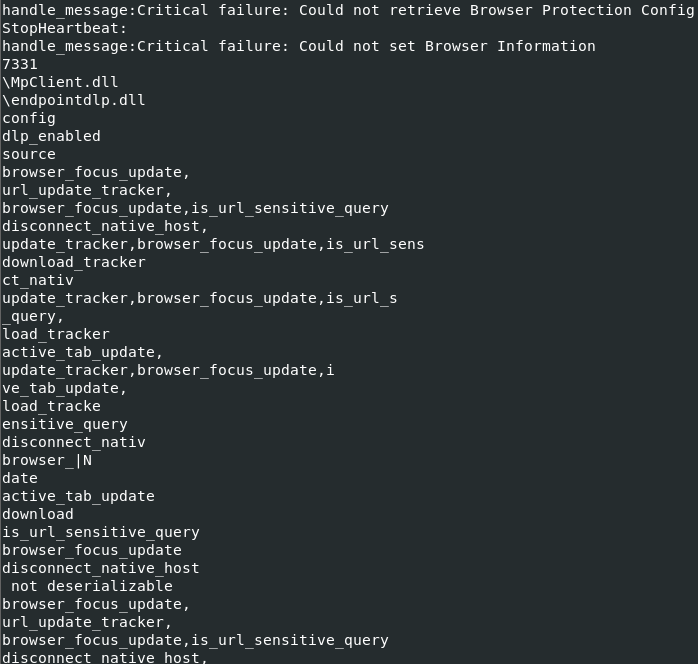
Decrypting strings gives the following commands, along with heartbeat and browser integration functions:
The files are then self-deleted after runtime.
Sonicwall Protection
SonicWall Capture Labs provides protection against this threat via the following signature:
- GAV: Havoc.A_1 (Trojan)
This threat is also detected by SonicWall Capture ATP with RTDMI™ and the Capture Client endpoint solution.
IOCs
d24216d0b82747e9406a696da76960183926145f9621947e34a772137f5e22a6
f2357e70f359803d42298d016c7e1631e9fba6c7e01e5df1eb8fb9ff7eb3df4e
7d4fb94f6b4623690daea67ed52e97705cb102f443988ff605f2a9c4898244dc
Share This Article

An Article By
An Article By
Security News
Security News
