
Improvements in malicious Excel files distributing Zloader

SonicWall Capture Labs threat research team has been observing improvements in MS Excel document used to distribute ZLoader. Enhancements include addition of techniques to evade detection from conventional signature-based anti-malware engines, hinder debugging and analysis in the sandbox.
Evasion Technique:
In campaigns till now, victims were educated to enable macro through instructions either in plain ASCII text or an image file as shown in Fig1 which allowed their easy detection. To get away detection, threat actors instituted ASCII-Unicode character combination. When the file is searched for strings as displayed in the instruction, nothing is found. Upon careful inspection of SST records, it is noticed that the message is kept out of sight by cleverly positioning Unicode characters along with ASCII. For example, ‘O’ is represented in Unicode by U+041E. Similarly, Whitespace character is represented by U+00A0, as shown in Fig2 and Fig3
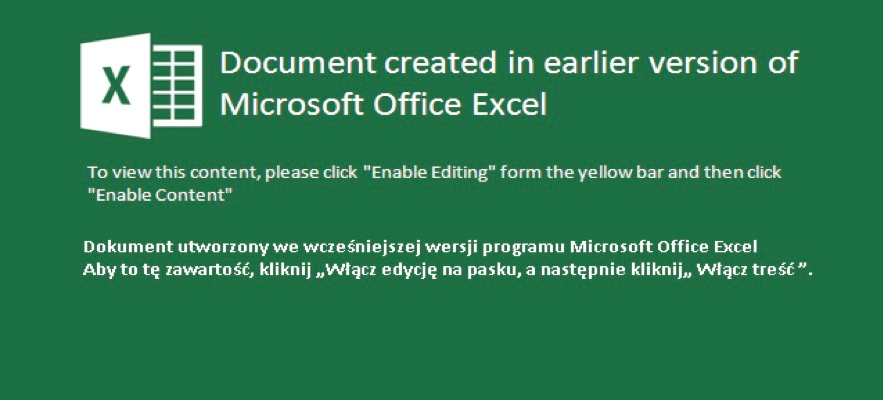
Fig-1: Instructions to enable macros in image

Fig-2: Instructions to enable macros appearing in text

Fig-3: combination of characters from ASCII and other character set
Use of Null Character in Label Names:
In MS-Excel, one can assign a human-readable name to refer a single cell or range of cells. What is more appealing in these documents, is the use of NULL characters in the label names making them invisible in functions where they are referred.

In the example below, label with NULL characters is referred in function FORMULA.FILL
Fig-5:FORUMA.FILL referring a lable with NULL characters

Macro Execution:
The analyzed sample has Auto_open label in a hidden state. Upon execution, the macro further creates code at run time by concatenating characters as shown below:
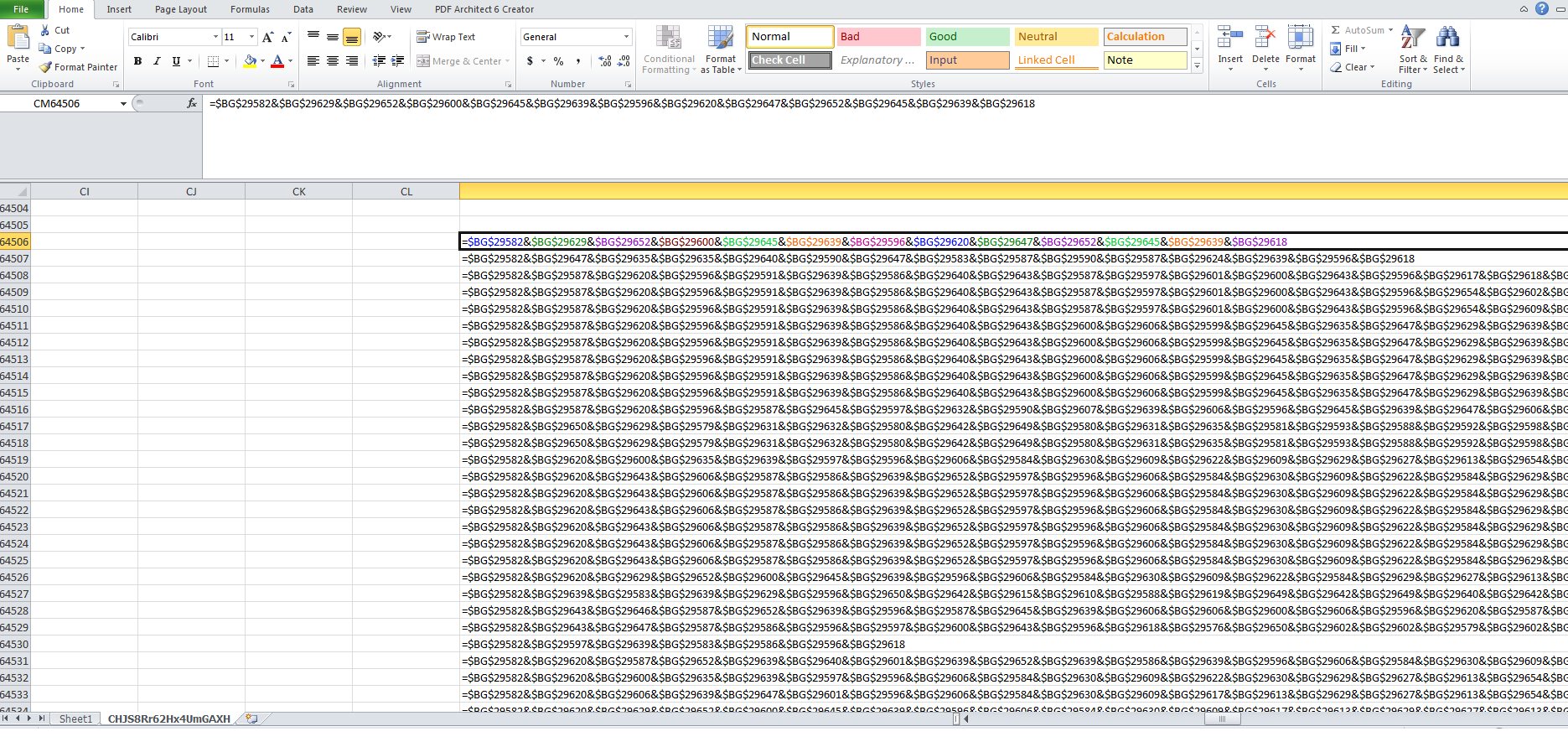 Fig-6:Obfuscated macro code
Deobfuscated code :

Fig-7:De-Obfuscated macro code
Anti-Debugging:
GET.WORKSPACE(type_num) function returns information about the workspace where “type_num” specifies the type of information. "type_num” 31 is used to identify if the currently running macro is in single-step mode or not. If this function returns TRUE, the sample terminates execution.
Anti-Sandbox:
It is usually seen that macros are enabled in a sandbox environment for unrestricted execution which means the value of “vbawarnings” in the registry would be set to 1. To prohibit easy execution and identification, the macro creates a VBS file with code to read data from the Windows registry.
- HKCU\software\policies\microsoft\office\<Office_Version>\word\security
- vbawarnings
- 1 = Enable macros
- 2 = Disable all with notification
- 3 = Disable all except digitally signed macros
- 4 = Disable all without notification
- vbawarnings
After successful verification, code specific to “Processor_Architectue” is executed. It is interesting to see the use of different “User-Agent” string in HTTP request for different “Processor_Architectue”.
 Fig-10:Macro code to download and execute payload
SonicWall RTDMI protects against this threat as shown below:
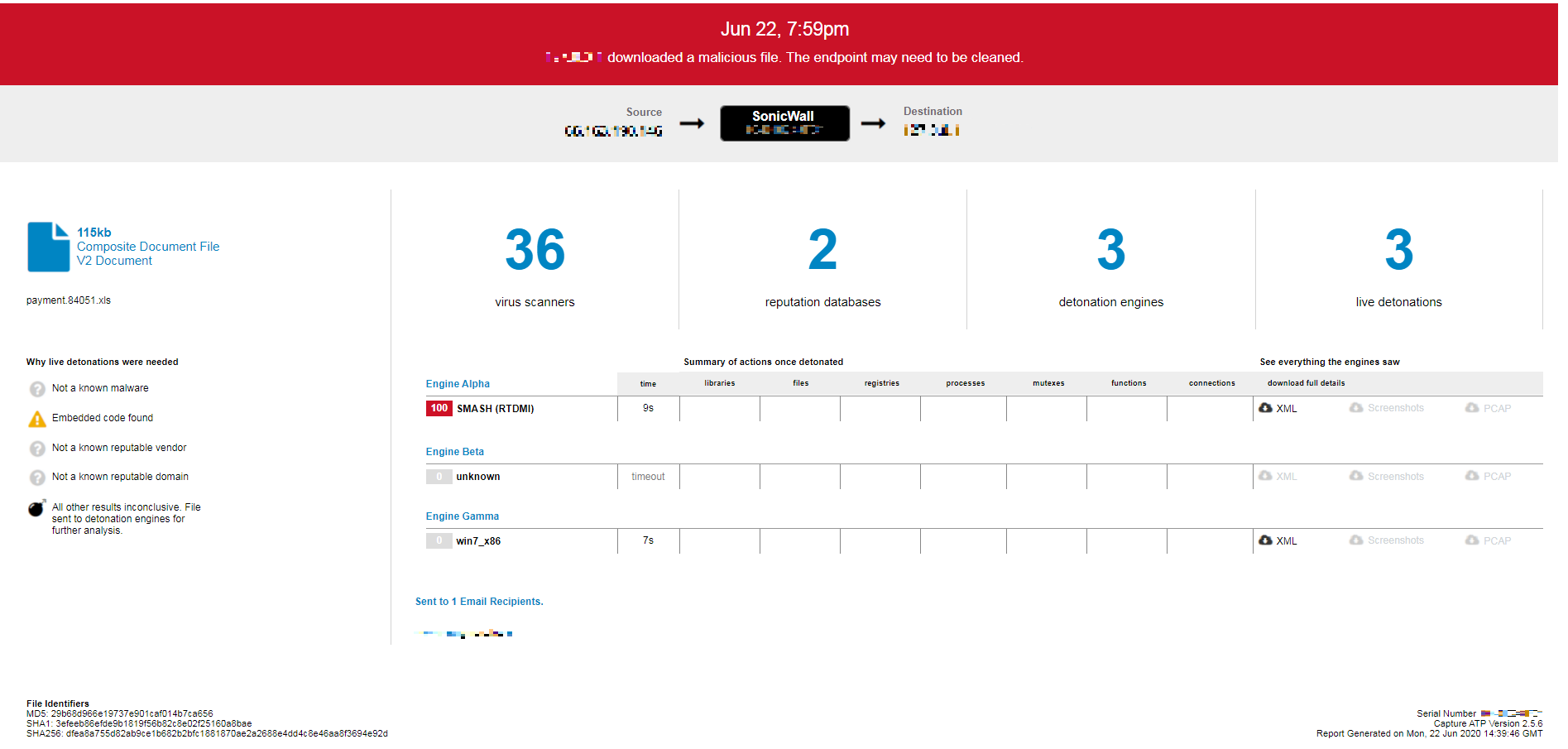 Fig-11:Capture ATP report
Indicators of Compromise:
SHA256 of malicious Excel Documents:
- dfea8a755d82ab9ce1b682b2bfc1881870ae2a2688e4dd4c8e46aa8f3694e92d
- 0e2e0468496a712486ecca944d6d2f1aef86dff048085a7a961014f2c1f9f54f
- 3a47e61616d44ed737a1c95da222d2dfa4f61f69506e428e642b5a30782606c9
- 4a6dec8a869d3022341d7afca3df3335eef3d8b481d9727f5a7f2b8f7680ad02
- 53441c8463caedb2196a5d80399988ff2a288e9ceb464c55fa59905cfb3aec13
- 66b33cf8a3f0bd3845fdc471d4dd1e19d62d64dcc4019f628a457df2762a4ab7
- 762ccdb4624dafb1cd5d733eaa871767e42d5f3c3aa669e860f4ea817a5decfc
- 7984975eb1b283ad5c10e8d7ba3c95478958b48bdb6ccff6c7809a9283d0fad0
- 7b3c5cb91c2557ecbef03022cf91a8d173bb2d930d4b1cd8eabc00f90a4a83fa
- 94640ae287f033cfa5e3385f207a09f6013a2c819c3635dfb662df17fd5bae5e
- b7562a45a3760d0ce10be8ce6fcbf2e50fad02e6118593ffa449dcd619629a2e
- bf2b2cec3e786c66fe5c9300db4eba39663ab4957e61cdf33a5bbfec30f9dfb1
- d206b1ff29ba1a35a935ce5d2848dc57d5fe8734dd16b6669577ec521ba3b43a
- f9be16d3d266dbb5f6b260ce822024ddd386644c43ff8ca8ec434b9f2d5986c8
Network Connection:
- https://thepsaokhue.com/wp-keys.php
- https://metagro.com.br/wp-keys.php
- https://loughturnperceidrin.ml/wp-keys.php
- https://joliroomlides.tk/wp-keys.php
Share This Article

An Article By
An Article By
Security News
Security News